As we move into the second half of 2026, SiteGiant continues to enhance the way merchants manage their eCommerce operations. In May 2026, we launched new updates across marketplace listing, inventory management, product reviews, reporting, warehouse operations, and shopping app features — helping merchants improve accuracy, save time, and manage daily operations more efficiently. Let’s take a closer look at the new features and improvements launched in May 2026 to help you operate more smoothly for the rest of the year!
Let’s take a quick look back at the new features and improvements launched in May 2026.
What’s New in May 2026?
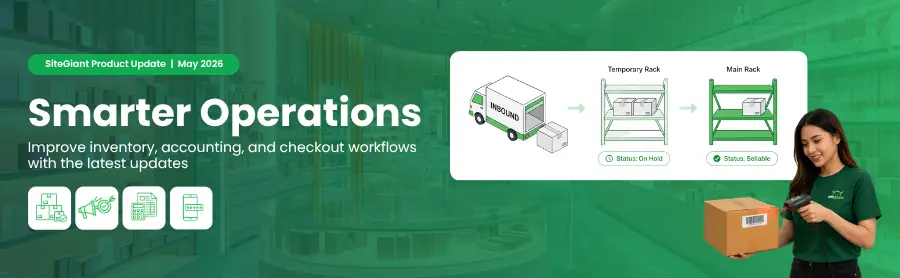
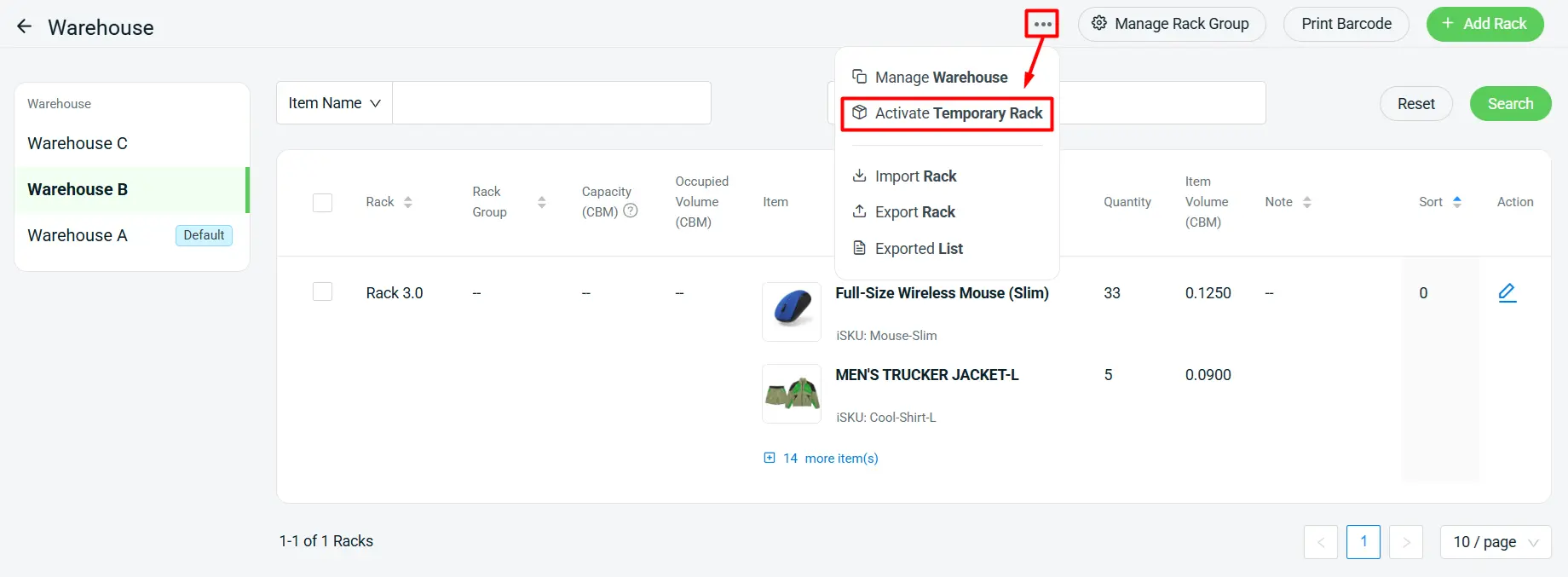
1. [Inventory] Improve Stock Holding Control with Temporary Rack
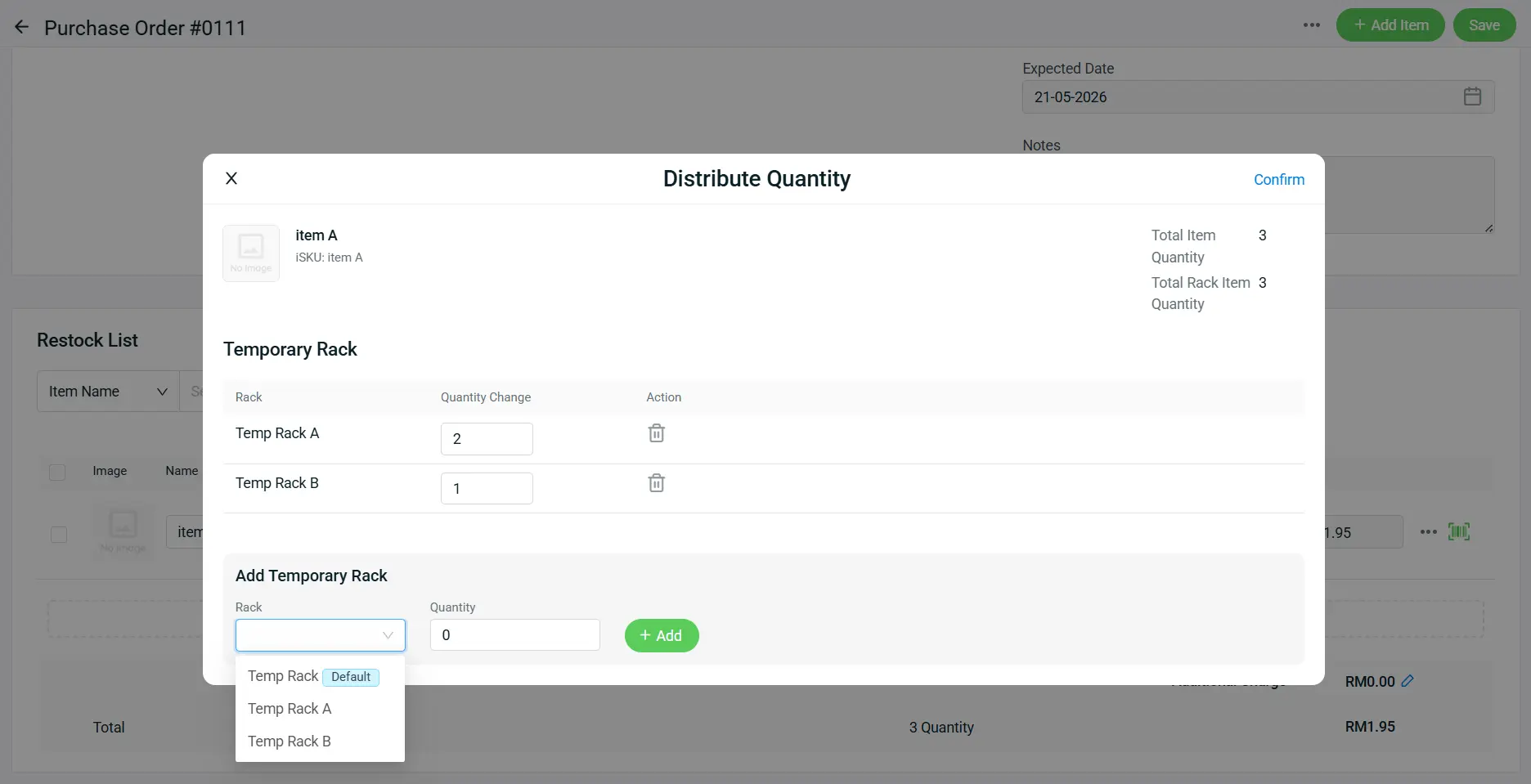
The new Temporary Rack feature gives you a dedicated holding location for received stock that is not ready to be put away yet. Stock placed in a temporary rack will automatically be treated as On Hold Stock, preventing it from being sold or used for order fulfillment until it is moved into a normal rack.
This helps improve warehouse accuracy, especially when stock needs to go through inspection, quality checking, batch verification, or temporary staging before being released for sale.
New SiteGiant Feature Enhancements You Shouldn’t Miss!
1. [Accounting] QNE Cloud Sync: Keep Accounting and Inventory Updated Automatically
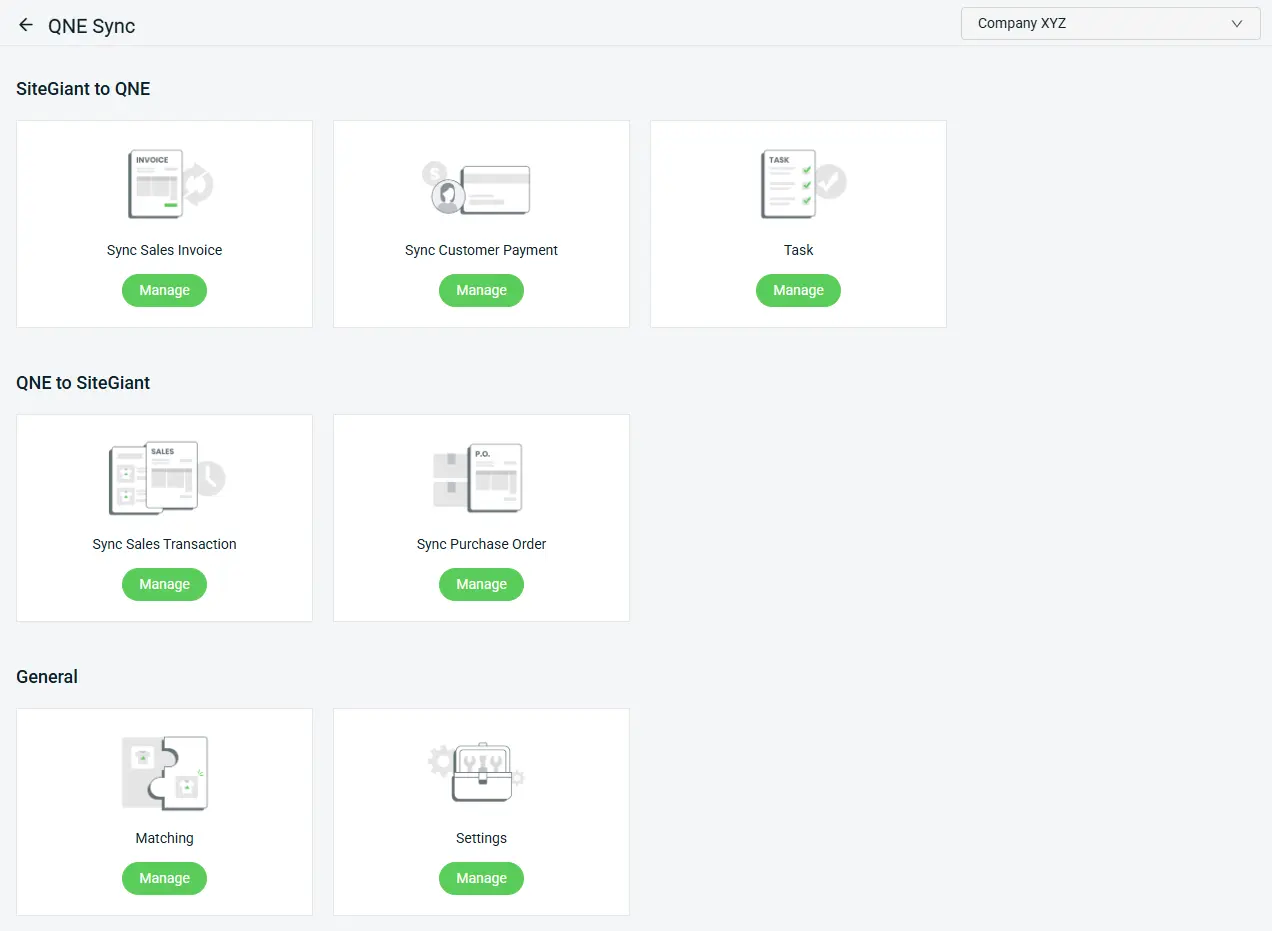
We’re excited to introduce QNE Cloud Sync, a new accounting integration that helps you connect your sales, payments, invoices, and stock updates with QNE Cloud more easily. With this integration, you can reduce manual data entry, keep accounting records updated, and sync important business data between SiteGiant and QNE Cloud more efficiently.
What is QNE Cloud?
QNE Cloud is a cloud-based accounting platform that helps businesses manage accounting, financial records, and business operations across multiple devices with real-time data synchronization.
What Can You Sync?
With QNE Cloud Sync, you are able to:
- Sync orders from SiteGiant to QNE as Sales Invoice
- Sync customer payments from SiteGiant to QNE for payment knock-off
- Sync Cash Sales, Sales Order, and Sales Invoice from QNE to SiteGiant for stock deduction across all channels
- Sync Purchase Order from QNE to SiteGiant for stock-in and stock updates across all channels
With the new QNE Cloud Sync integration, you can manage accounting, payments, invoices, and stock updates in a more connected way — helping daily operations run smoother and faster.
2. [Marketplace] Streamline Product Updates and Publishing Schedules
Update product information more accurately and plan your Shopee publishing schedule with greater flexibility through the latest Shopee listing enhancements. With better accuracy and scheduling control, you can prepare more effectively for product launches, sales campaigns, and promotional periods.
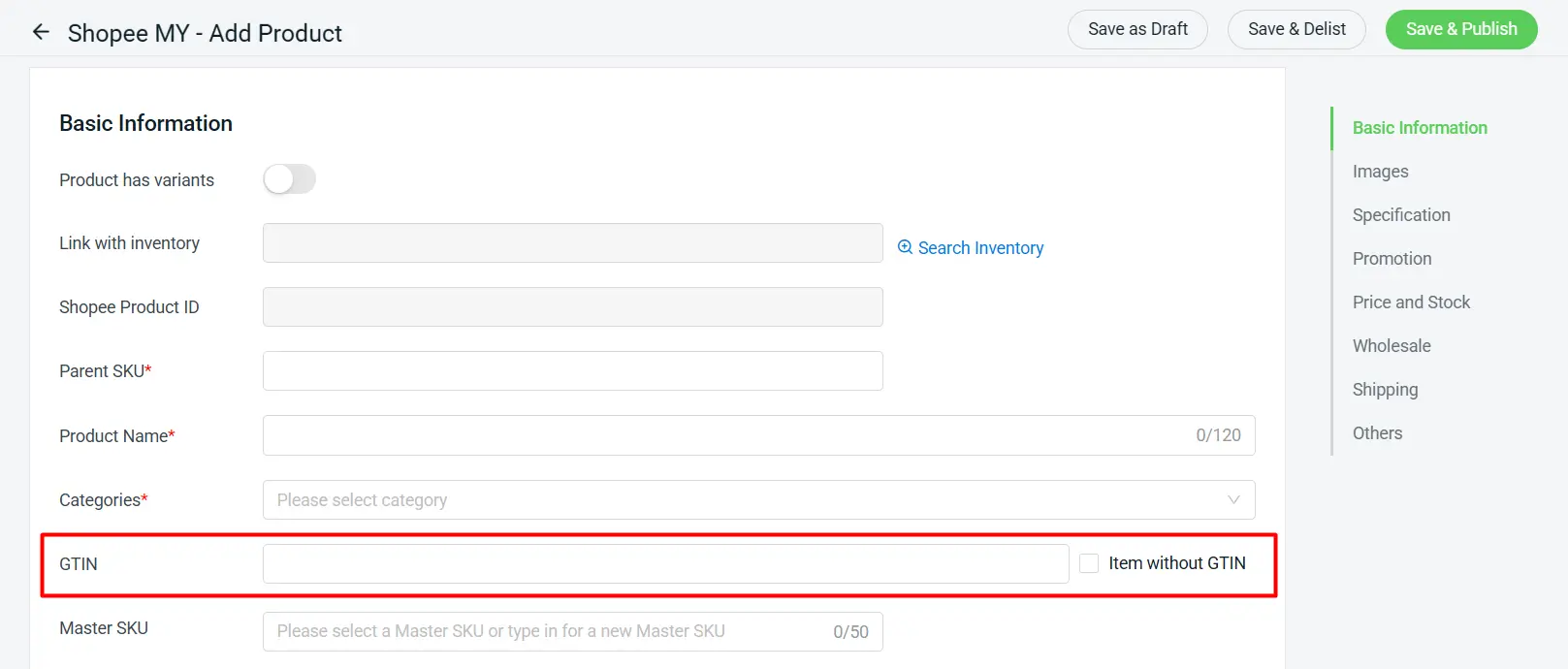
i. GTIN support
Easily add product identification details to improve listing accuracy and data standardization.
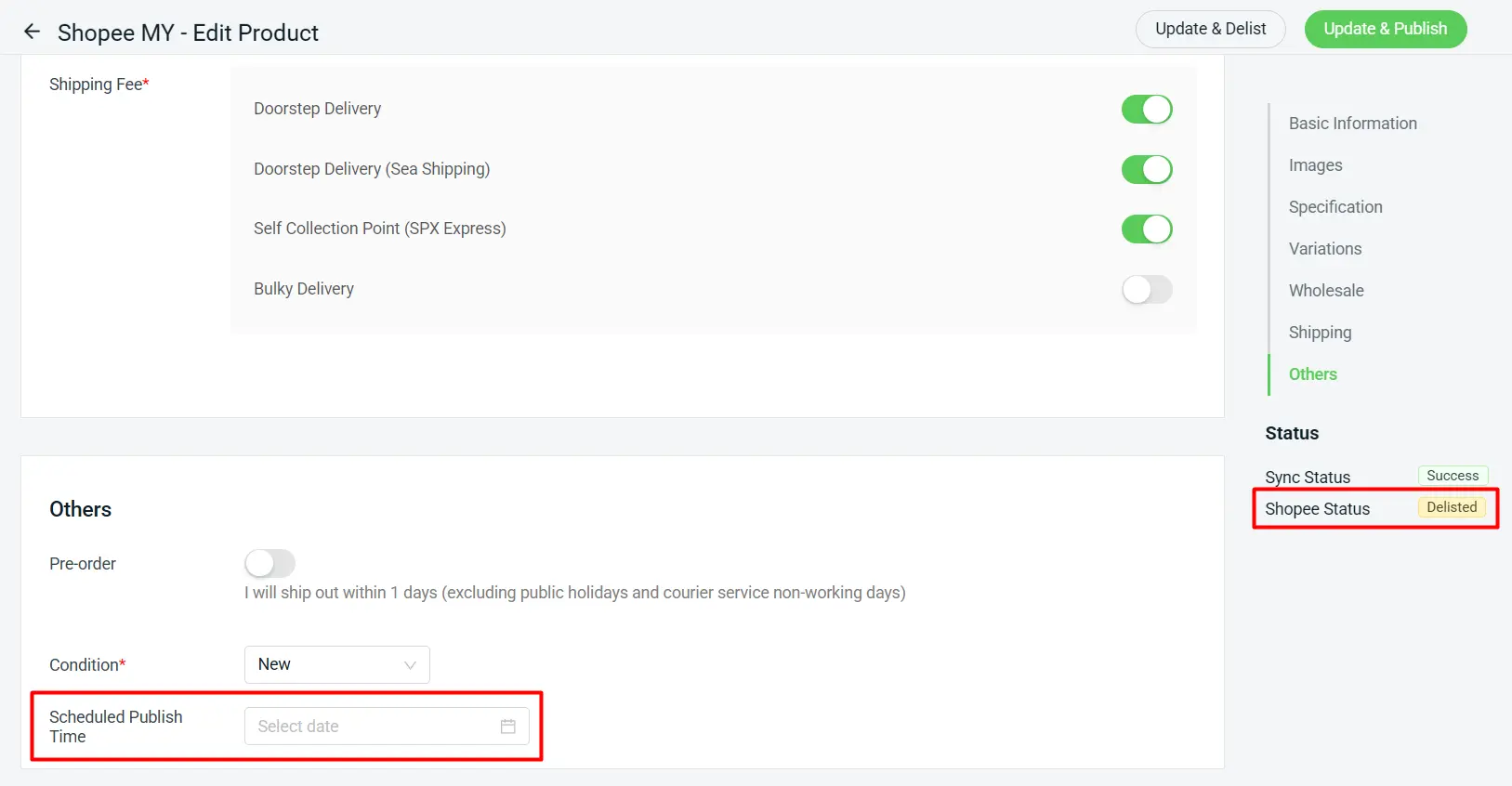
ii. Scheduled Publish Time
Set a preferred published time for delisted items, helping you plan product launches, campaign periods, and promotional schedules more efficiently.
3. [Inventory] Automate Recurring Stock Checks with Task Template
Stock checking is now easier with the new Task Template feature. Create a template once, set your preferred schedule, and let the system automatically generate recurring stock check tasks. This helps save time, reduce repetitive work, and keep warehouse operations more organized.
i. Task Template Creation
Create stock check tasks with less manual work.
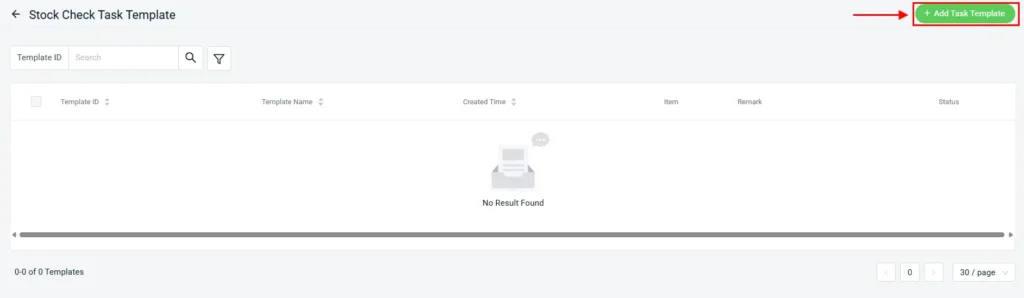
ii. Smarter Task Distribution Options Choose how stock check tasks are generated based on your preferred workflow.
- Frequency: Set recurring schedules, such as weekly or monthly.
- Generation Method: Generate all items in one task or let the system randomly distribute items based on the selected schedule.
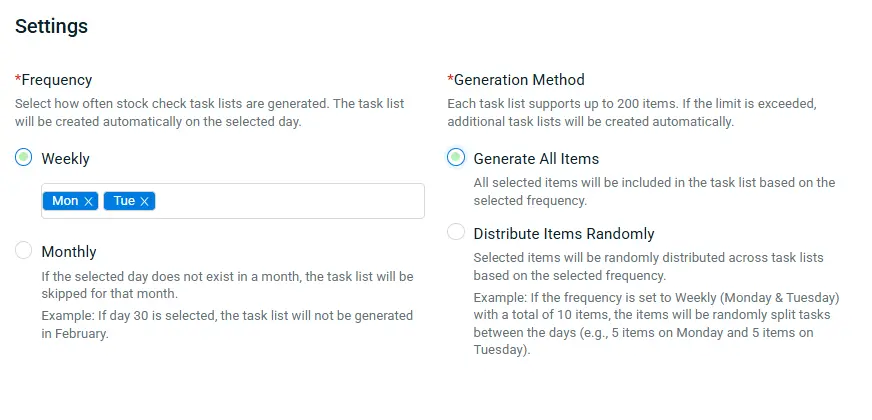
iii. Flexible Item Selection
Select whether to include specific items or all inventory items when generating stock check tasks, depending on your operational needs.
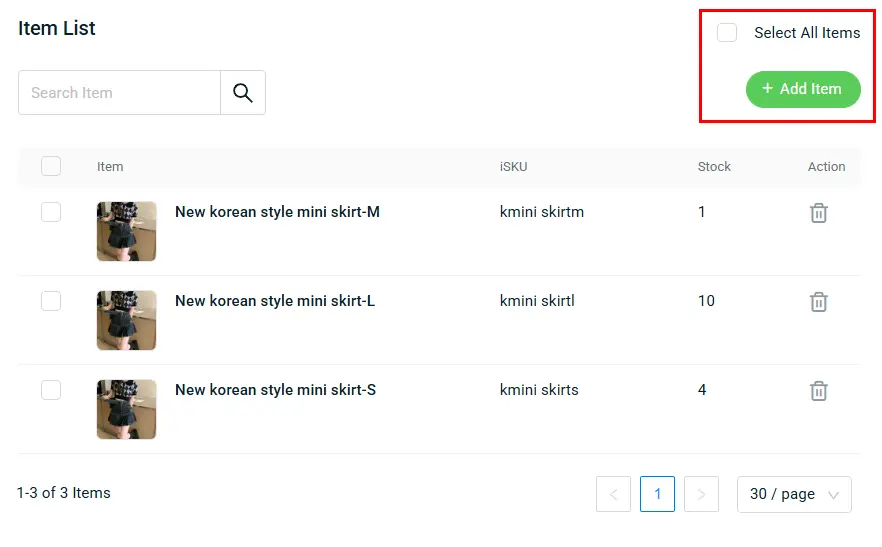
iv. Task Automation
Once set up, the system will automatically generate tasks based on your configured schedule from the next eligible cycle.
Example:
If the template is created on 08/05/2026 and set to Weekly (Monday) , the first task will be generated on 11/05/2026 (next week Monday) .
4. [Inventory] Improve Stock Accuracy with Batch Control and Serial Number Tracking
1. Item Batch
Item Batch has been enhanced with new controls and automation features, helping you manage batch inventory, expiry handling, and stock allocation more efficiently.
i. On Hold Expired Batch Notification
Receive a notification whenever an expired batch is placed on hold, helping you stay informed and take action quickly when affected inventory becomes unavailable.
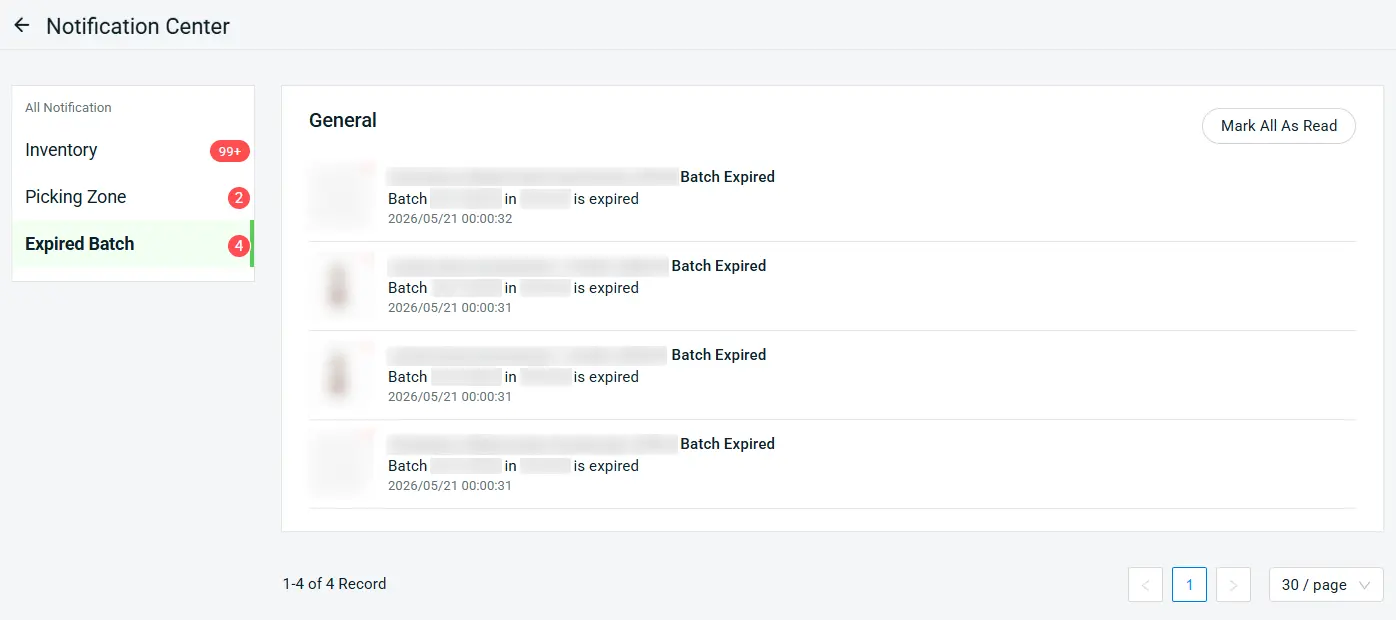
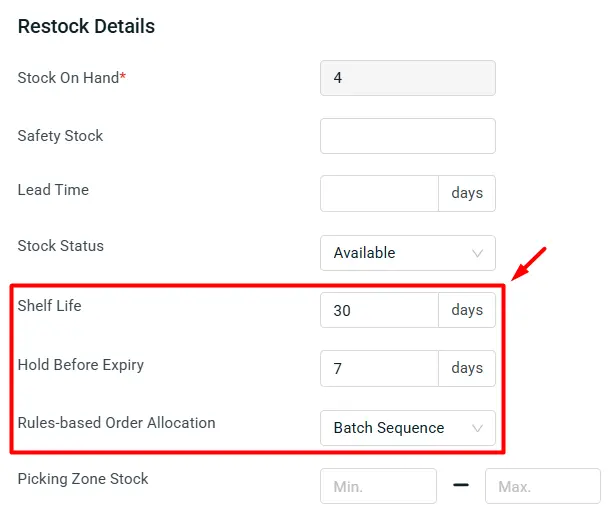
ii. Enhanced Restock Details for Batch Items
New restock detail settings are now available for inventory items using Batch Mode:
(a) Shelf Life
Automatically calculate and pre-fill the Expiry Date based on the configured number of days after the MFG Date when creating or editing a batch.
(b) Hold Before Expiry
Automatically place batches on hold a specified number of days before their Expiry Date to help prevent near-expiry stock from being allocated.
(c) Rules-based Order Allocation
Configure how batch inventory is deducted for orders based on either Batch Sequence or Expiry Date.
2. Item Serial Number
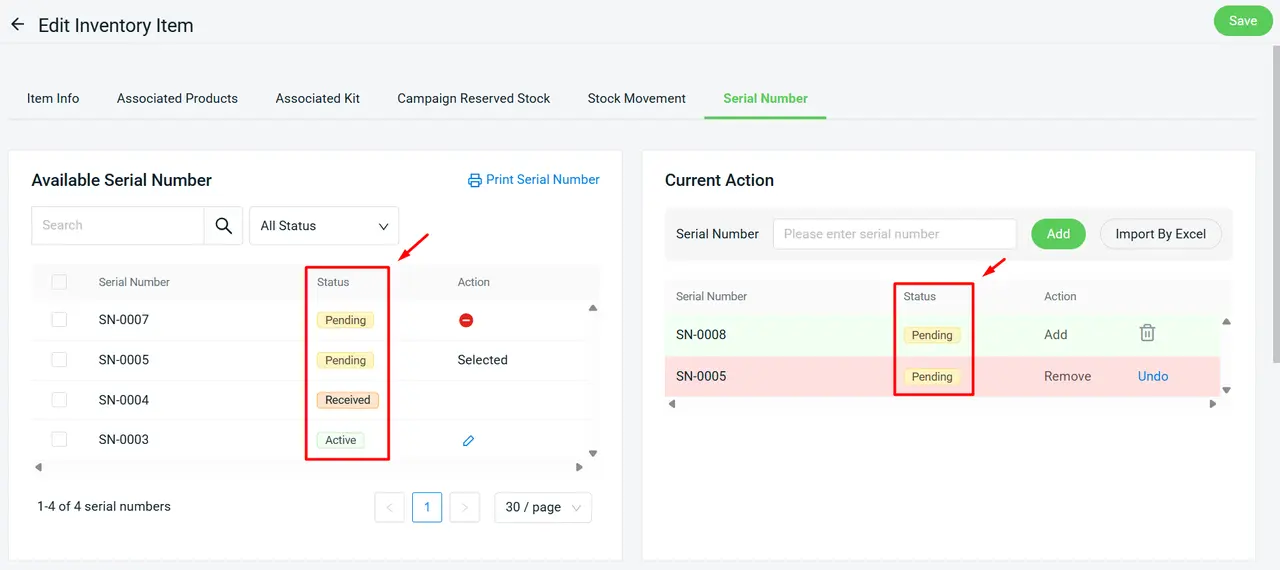
Serial Number management is now more organized with new status tracking, helping you monitor each item throughout the receiving and fulfillment process. You can also create serial numbers in advance with Pending status and pre-assign them to a Purchase Order or Advanced Shipping Notice, allowing barcode labels to be prepared earlier for a smoother receiving workflow.
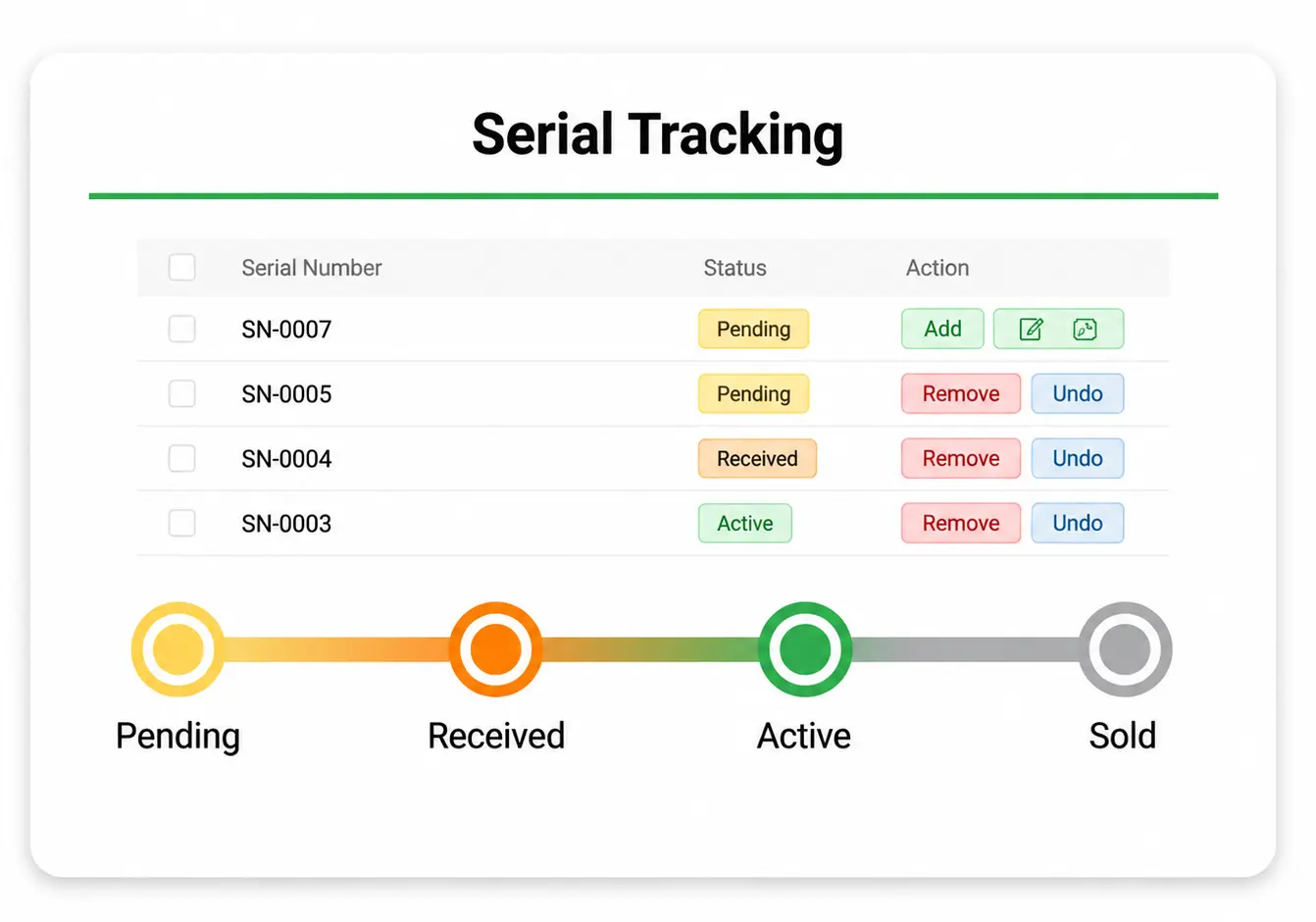
Available Serial Number statuses:
Pending => Serial numbers created in advance before stock is received
Received => Serial numbers pre-assigned in Purchase Order or Advanced Shipping Notice
Active => Serial numbers currently tied to available stock on hand
Inactive => Serial numbers that have been sourced out from inventory
Sold => Serial numbers tied to fulfilled orders with released stock
5. [Inventory] Replenish Pick Zones More Efficiently with Role-Based Tasks
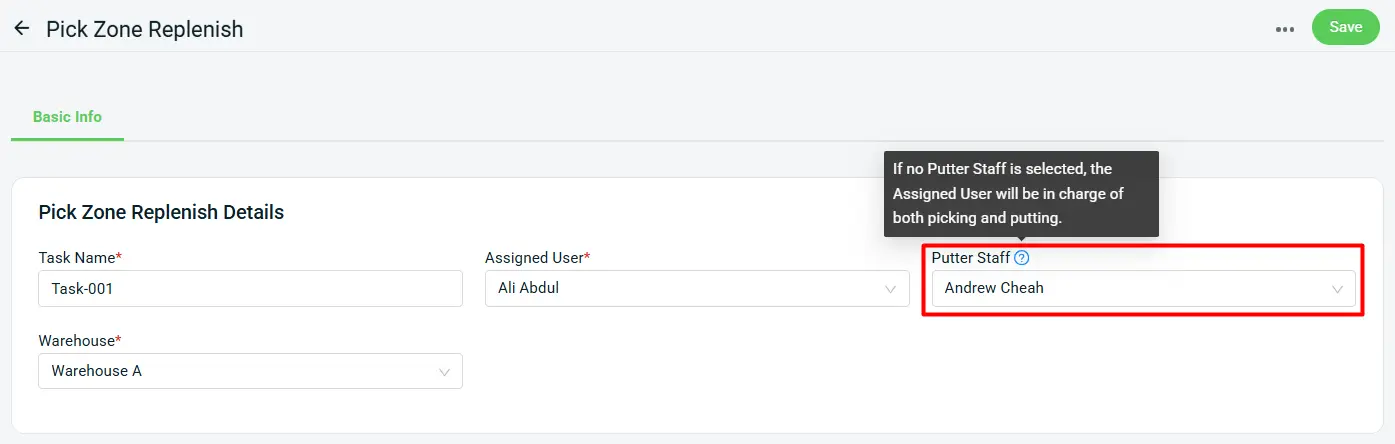
Pick zone replenishment is now easier to manage with clearer task assignment between picking and put-away responsibilities. Easily assign a putter staff to pick zone replenishment tasks directly in SiteGiant ERP for clearer task delegation and better workflow management.
When a putter is assigned, the assigned user will only be responsible for picking items from the warehouse racks while the putter will be the one who puts them away into the picking zone.
6. [Webstore] Improve Customer Experience with Review and Announcement Updates
Showcase customer feedback faster and highlight important store updates more effectively, with more flexibility to manage reviews and announcements on your webstore.
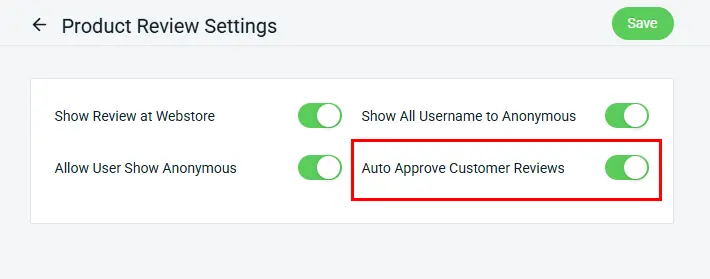
i. Customer Product Reviews
Customer product reviews submitted through your webstore can now be automatically approved and published upon submission. With this new option, reviews can be displayed on your webstore faster, helping you showcase customer feedback more efficiently and build trust with potential buyers.
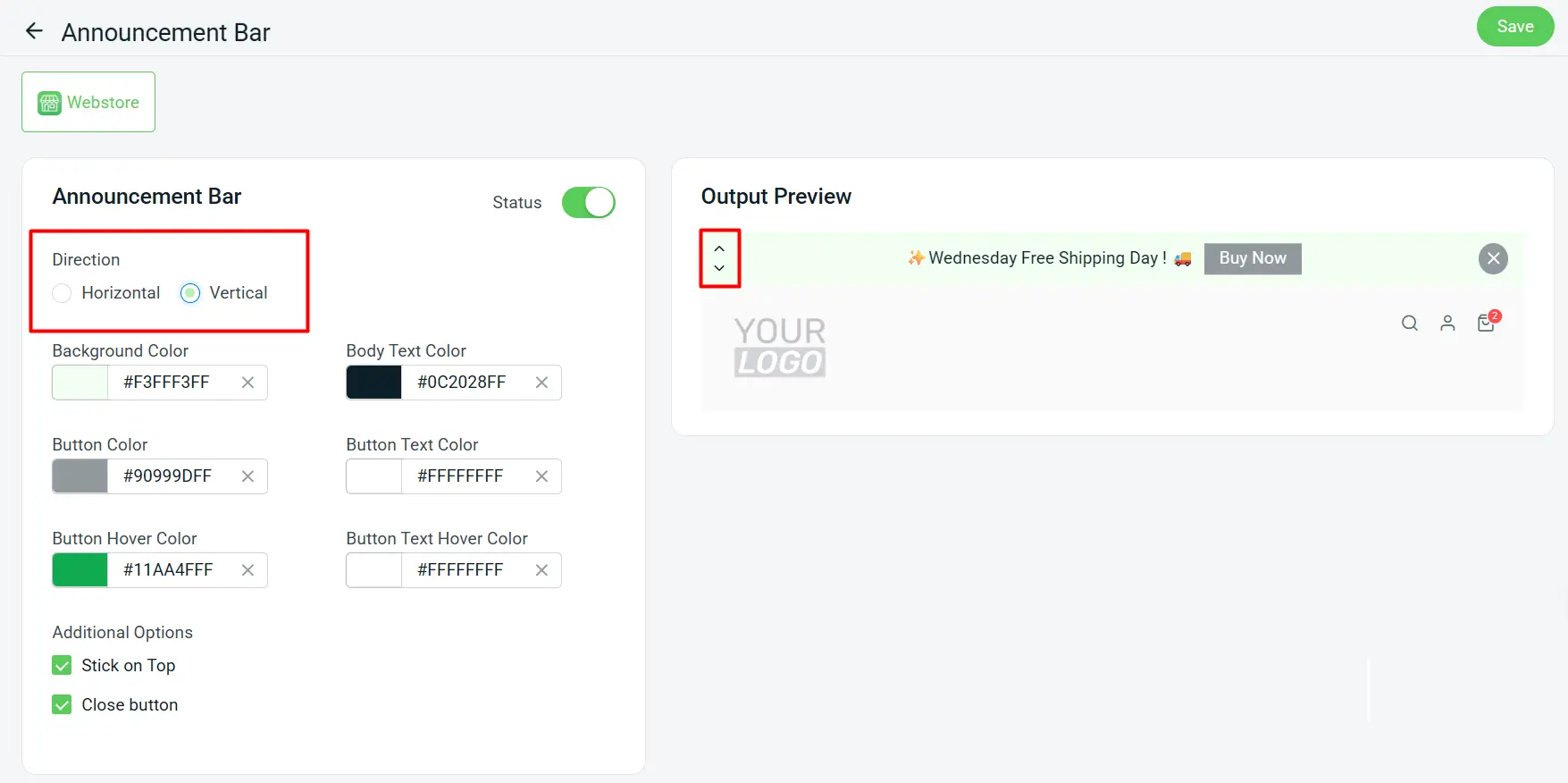
ii. Announcement Bar
The Announcement Bar now supports Horizontal and Vertical display layouts, giving you more flexibility to present important messages on your webstore. With this update, you can choose the layout that best fits your webstore design, making it easier to highlight promotions, notices, or important updates while keeping your store layout clean and organized.
7. [Landing Page] Manage Campaign Timing with Page Availability Scheduling
Landing Page now supports availability scheduling, giving you better control over when your campaign pages can be accessed.
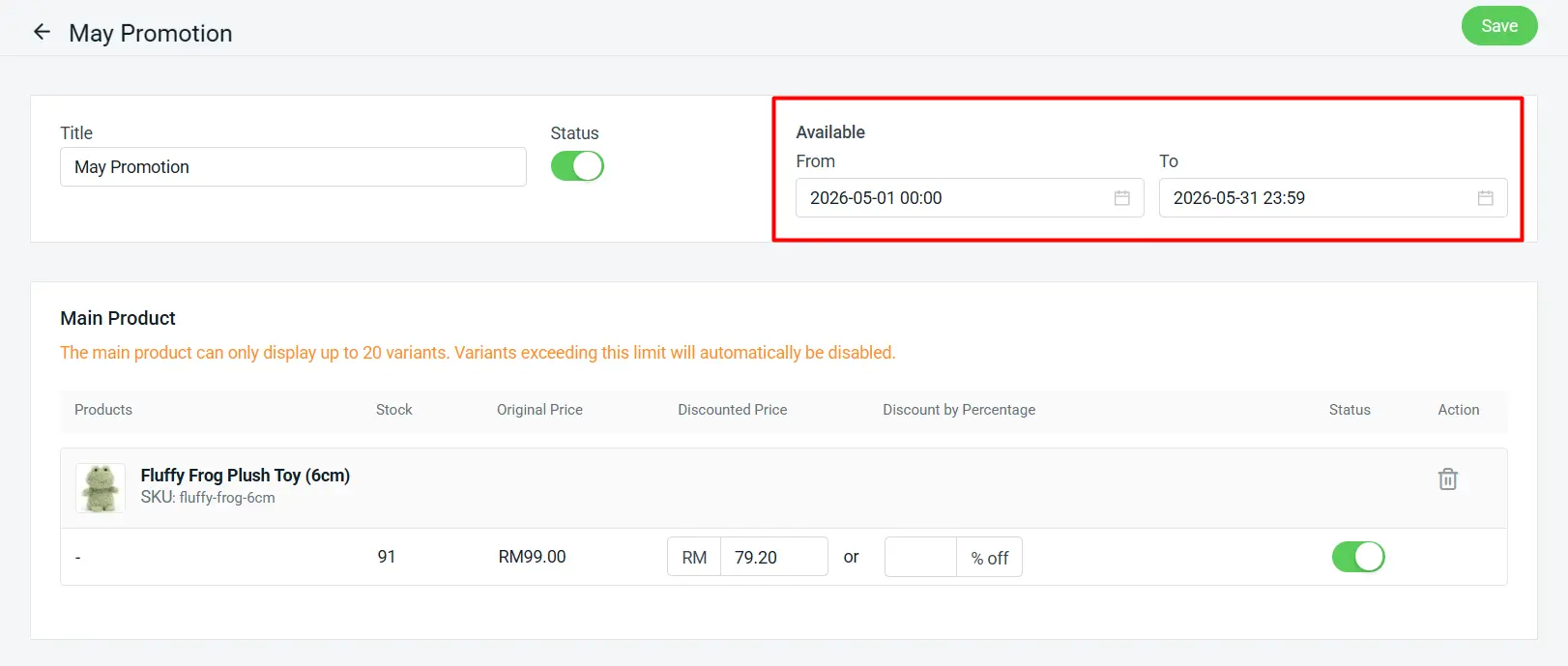
i. Page Availability Scheduling
With the new Page Availability Scheduling feature, you can now set Available From and Available To date/time for your Landing Pages, allowing you to control when a page is accessible. This helps you better manage time-sensitive campaigns and ensure your content is shown only within the intended period.
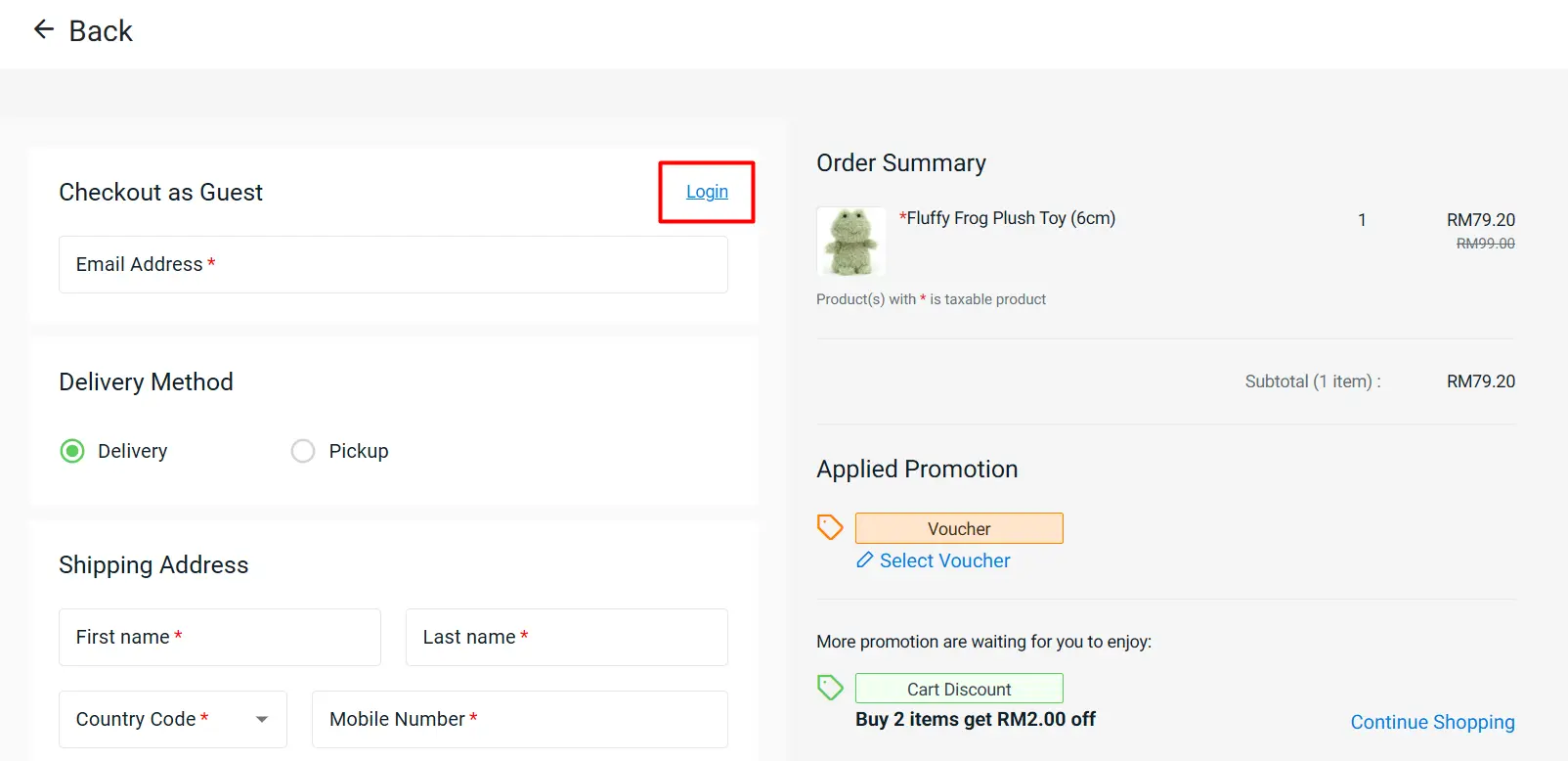
ii. Customer Login During Checkout Customers can now log in directly during checkout on the Landing Page, creating a smoother and more seamless purchasing experience.
8. [POS] Improve Mall Sales Reporting with GTO Report
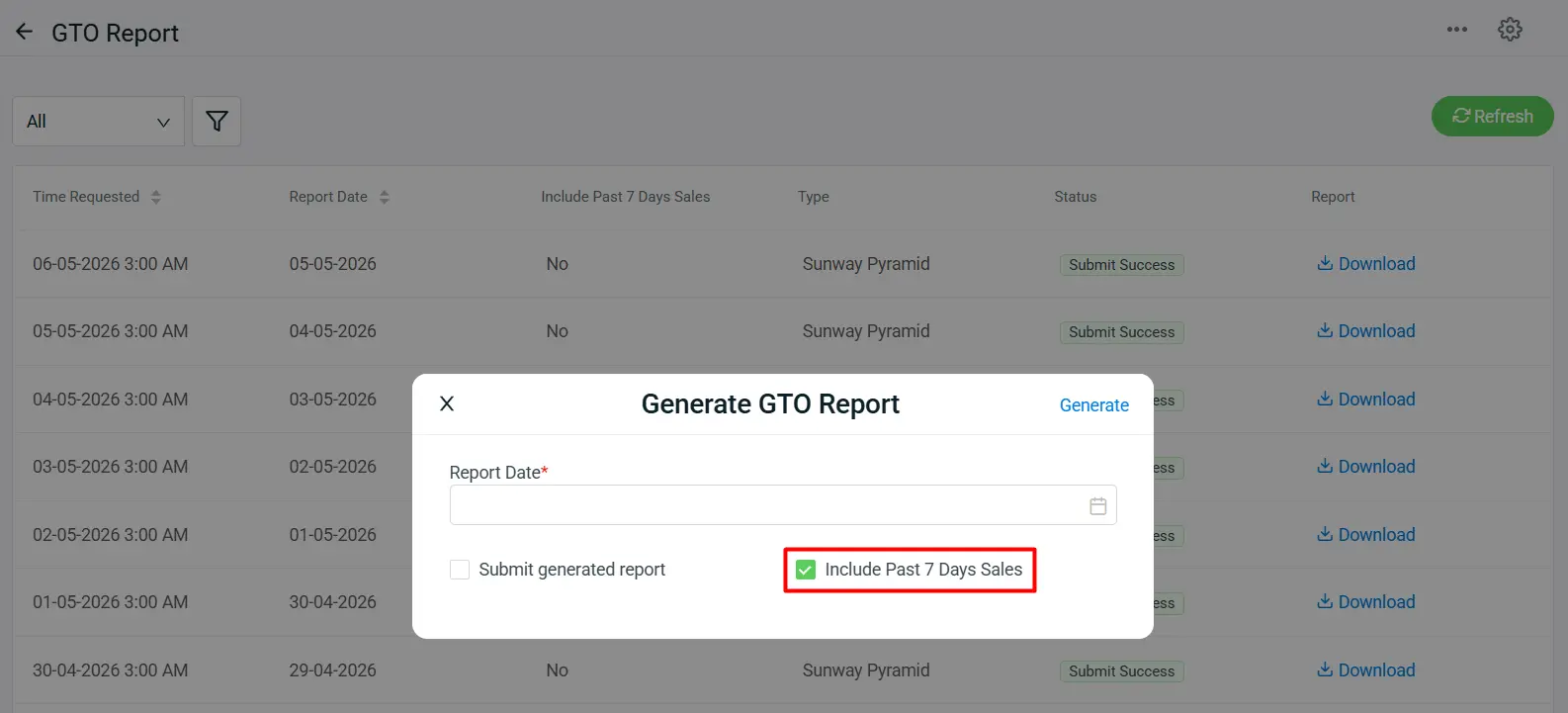
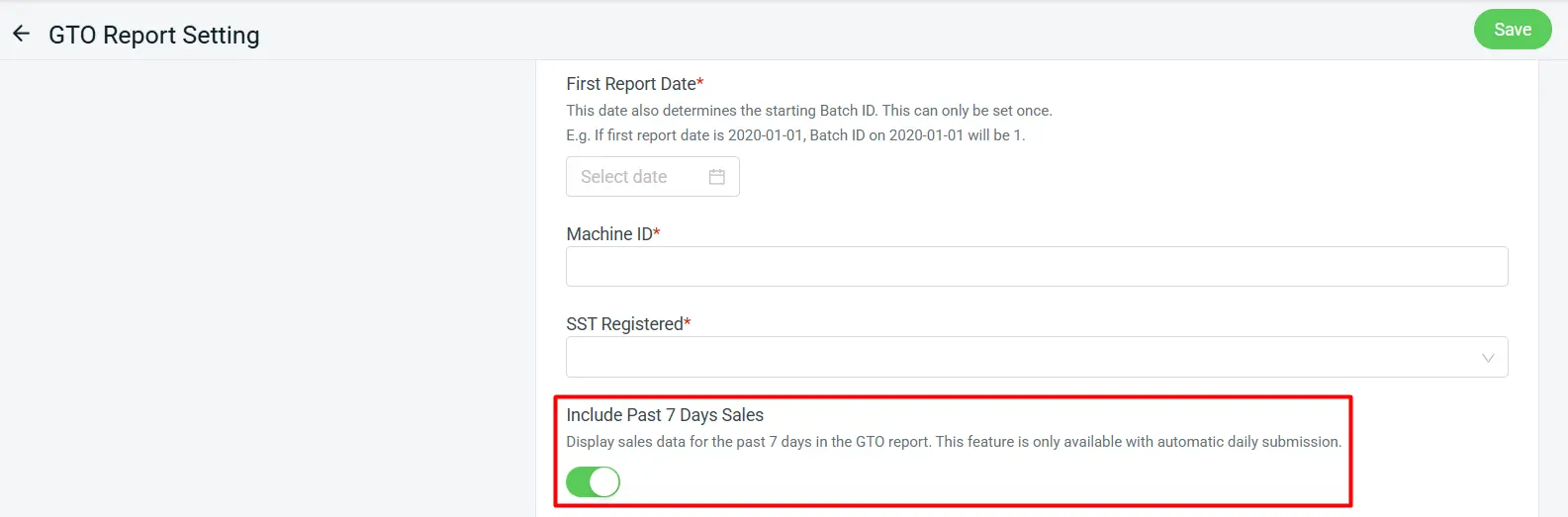
The GTO Report now supports an Include Past 7 Days Sales option for selected malls, helping you submit more accurate store sales data to mall management while meeting the required reporting format. This helps reduce reporting gaps and makes mall sales submission more reliable for daily operations.
Available for selected malls:
Sunway Velocity, Sunway Pyramid, Sutera Mall, IOI City Mall, Pavilion Bukit Jalil, and Sunway 163 Mall.
9. [Shopping App] Improve Checkout Clarity and Shopping Convenience
A clearer checkout flow and easier cart access help customers review their items and complete purchases more conveniently on the Shopping App.
i. Improved Checkout Experience
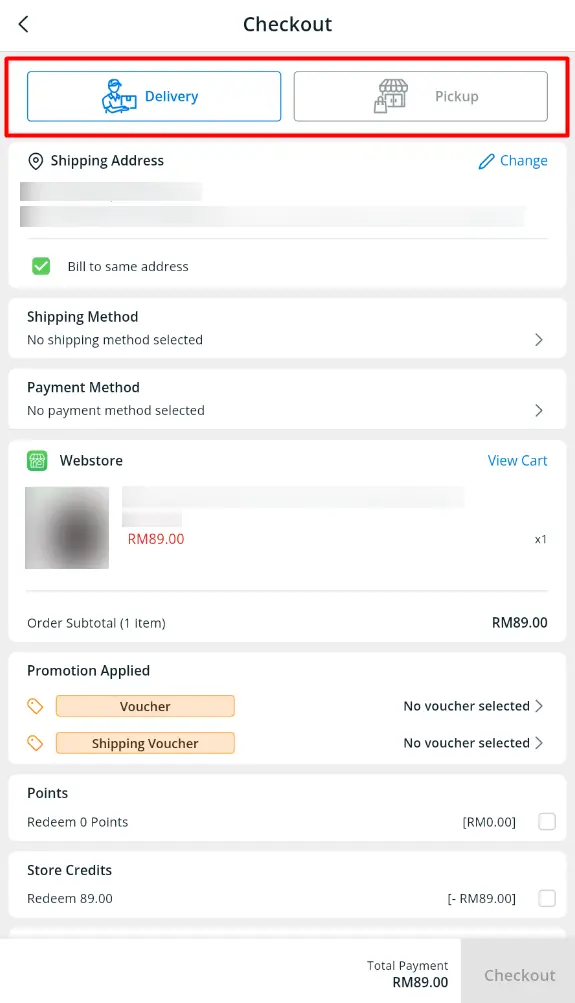
The checkout UI has been updated to clearly separate the Delivery and Pickup shipping method options, making it easier for customers to choose their preferred fulfillment method.
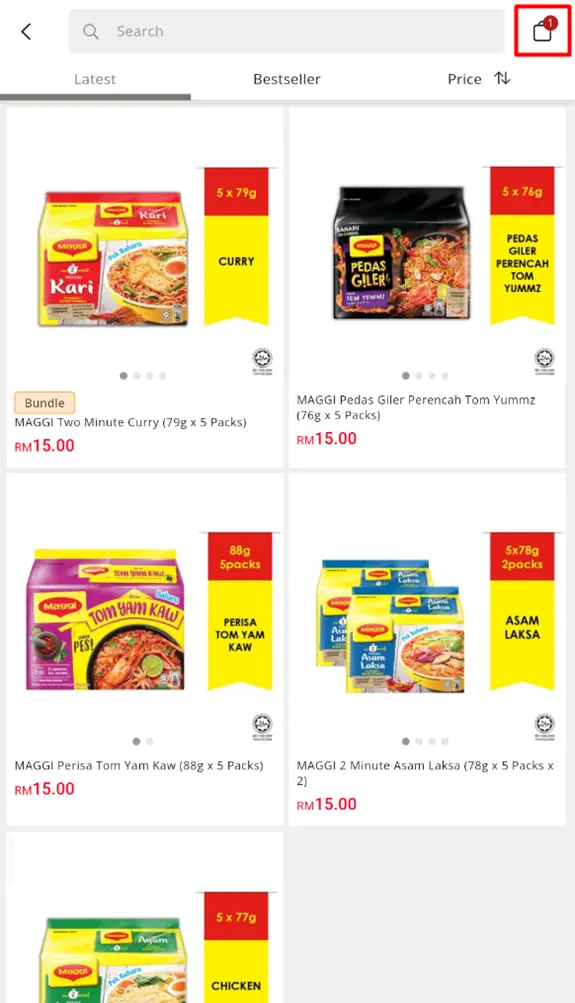
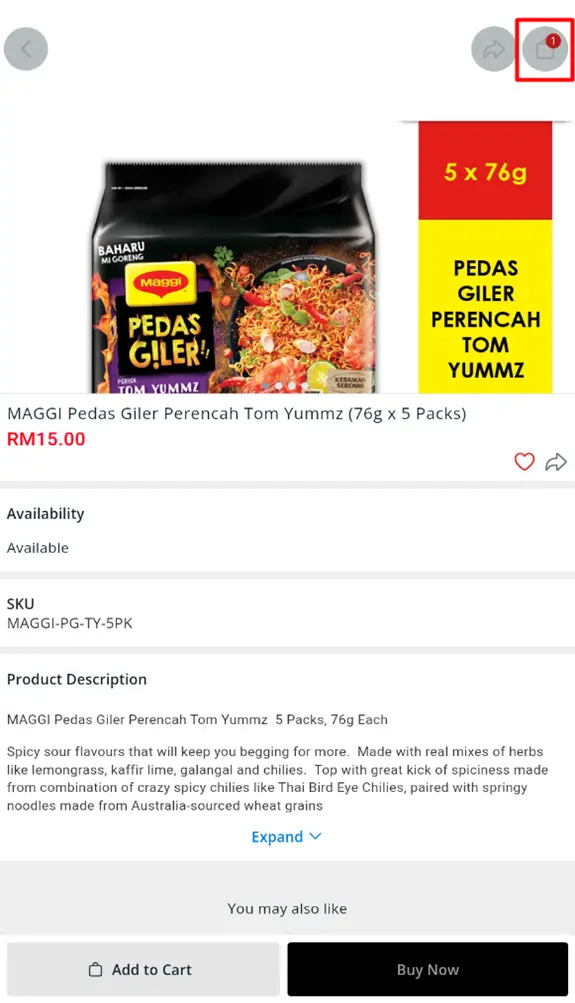
ii. Added Cart Button with Item Count
A new Cart button is now available on both product listing and product detail pages, complete with an item count badge, so customers can easily keep track of their selected products and access their cart anytime.