Exclusively for SiteGiant Merchants!

  SSM BizTrust SSM BizTrust QR Code
Offer
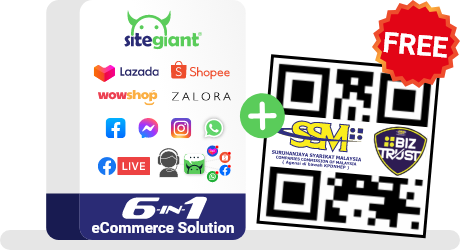
FREE 1 Year SSM BizTrust Certification
Promotion ends 28th February 2023
Free SSM BizTrust QR Code
FREE SSM BizTrust QR Code
What is it?
Top 3 benefits
  • Promote your business as a certified online business entity

  • Allow website visitors to easily identify your legitimate website with BizTrust certification display

  • Gain customers' confidence, loyalty and trust in your online business and brand
  • Build and create consumer confidence in transactions

  • Assist merchants to develop business brands as legally certified business entities through the display of the SSM BizTrust QR Code

  • Establish higher standard of quality and reliable business practices
Is your business eligible?
  • Only applicable for business entities registered under the Companies Act 2016 and the Limited Liability Partnerships Act 2012
  • Companies
  • Limited Liability Partnerships (LLP)

  1. Your entity must be registered with the Suruhanjaya Syarikat Malaysia (SSM)

  2. Your business must be compliant with the 8 principles of online business ethics by having the following details displayed:

    - Seller/Company Name
    - Product Description
    - Product Price
    - Payment Method
    - Business Registration Number
    - Terms & Conditions
  • Only applicable for business entities registered under the Registration of Businesses Act 1956
  • Sole proprietorship
  • Partnership
Other benefits
-
  • SSM BizTrust QR Code is automatically provided to business entities registered under the Registration for Businesses Act 1956

  • Scanning only via MySSM - an official mobile application of Suruhanjaya Syarikat Malaysia (SSM) that provides data access related to the business entities
How to apply? Step 1
Chat with our consultants and sign up for a suitable SiteGiant Plan.

Step 2
Register your business with SSM BizTrust. CLICK HERE for a step-by-step guide.

Step 3
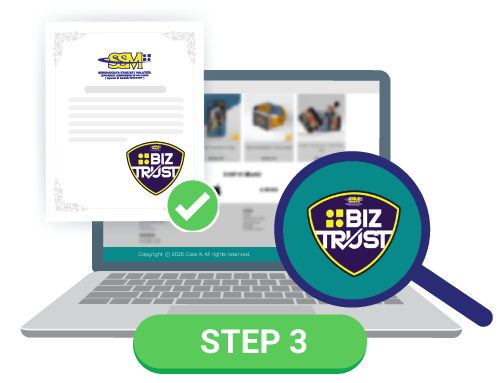
Upon approval, receive certification from SSM BizTrust to display on your website.

For more information on SSM BizTrust certification, CLICK HERE

Step 1
Register your business at EzBiz Online portal.

Step 2
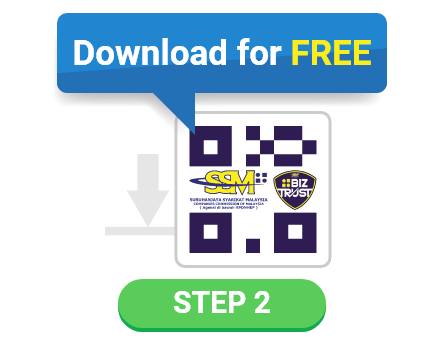
Download the SSM BizTrust QR Code for free.

Step 3
Update your business's URL address information.

For more information on SSM BizTrust QR Code application, CLICK HERE

  SSM BizTrust SSM BizTrust QR Code
Offer
FREE 1 Year SSM BizTrust Certification
Promotion ends 31st December 2022
Free SSM BizTrust QR Code
FREE SSM BizTrust QR Code
What is it?
Top 3 benefits
  • Promote your business as a certified online business entity

  • Allow website visitors to easily identify your legitimate website with BizTrust certification display

  • Gain customers' confidence, loyalty and trust in your online business and brand
  • Build and create consumer confidence in transactions

  • Assist merchants to develop business brands as legally certified business entities through the display of the SSM BizTrust QR Code

  • Establish higher standard of quality and reliable business practices
Is your business eligible?
  • Only applicable for business entities registered under the Companies Act 2016 and the Limited Liability Partnerships Act 2012
  • Companies
  • Limited Liability Partnerships (LLP)

  1. Your entity must be registered with the Suruhanjaya Syarikat Malaysia (SSM)

  2. Your business must be compliant with the 8 principles of online business ethics by having the following details displayed:

    - Seller/Company Name
    - Product Description
    - Product Price
    - Payment Method
    - Business Registration Number
    - Terms & Conditions
  • Only applicable for business entities registered under the Registration of Businesses Act 1956
  • Sole proprietorship
  • Partnership
Other benefits
-
  • SSM BizTrust QR Code is automatically provided to business entities registered under the Registration for Businesses Act 1956

  • Scanning only via MySSM - an official mobile application of Suruhanjaya Syarikat Malaysia (SSM) that provides data access related to the business entities
How to apply? Step 1
Chat with our consultants and sign up for a suitable SiteGiant Plan.

Step 2
Register your business with SSM BizTrust. CLICK HERE for a step-by-step guide.

Step 3
Upon approval, receive certification from SSM BizTrust to display on your website.

For more information on SSM BizTrust certification, CLICK HERE

Step 1
Register your business at EzBiz Online portal.

Step 2
Download the SSM BizTrust QR Code for free.

Step 3
Update your business's URL address information.

For more information on SSM BizTrust QR Code application, CLICK HERE

How to apply for SSM BizTrust Certification?

Step 1 - chat with consultant

Chat with our consultants and sign up for a suitable SiteGiant Plan.

Step 2 - Register with SSM BizTrust

Register your business with SSM BizTrustCLICK HERE for a step-by-step guide.

** Only applicable for business registered under Registration of Company (ROC) and Limited Liability of Partnership (LLP)

Step 3 - Receive BizTrust Seal

Upon approval, receive certification from SSM BizTrust to display on your website.

** Only applicable for business registered under Registration of Company (ROC) and Limited Liability of Partnership (LLP)

For more information on SSM BizTrust certification, CLICK HERE

How to apply for SSM BizTrust QR Code?

Register your business at EzBiz Online portal.

** Only applicable for business registered under Registration of Businesses (ROB)

how to apply for ssm biztrust qr code - step 2

Download the SSM BizTrust QR Code for free.

** Only applicable for business registered under Registration of Businesses (ROB)

how to apply for ssm biztrust qr code - step 3

Update your business’s URL address information.

For more information on SSM BizTrust QR Code application, CLICK HERE

Sell everywhere effortlessly with a SSM BizTrust or SSM BizTrust QR Code verified business platform today!

10,000+ Merchants Have Joined SiteGiant

SSM BizTrust QR Code poster
SSM BizTrust poster