June 2026: New Features and Enhancement Updates

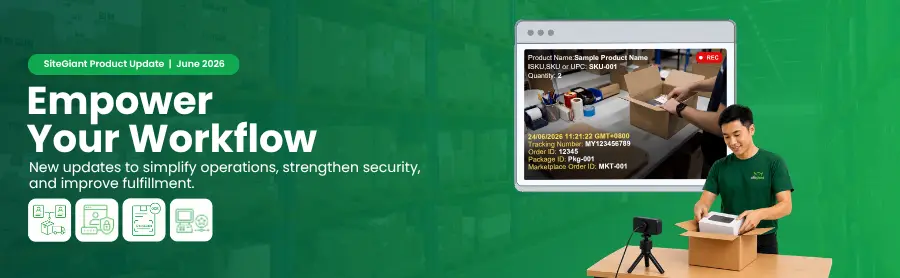
With June 2026 wrapped up, let’s recap the key SiteGiant system updates introduced this month. These enhancements are designed to help you streamline daily operations, improve accuracy, and create a smoother experience for your operations team and customers.
 
Let’s take a look at what’s new and how these updates can support your business growth.

What’s New in June 2026?

1. [Sales Channel] Expand Your Reach with the New Decathlon Integration

We’re excited to announce that Decathlon is now available as a new sales channel integration on SiteGiant.
 
As a globally recognized sporting goods retailer, Decathlon gives merchants more opportunities to reach sports, fitness, and lifestyle shoppers through its marketplace ecosystem. With this new integration, you can manage your Decathlon store more efficiently, helping you streamline daily operations, reduce manual work, and expand your business across more sales channels.
 
Start exploring the Decathlon integration today!
Feature Enhancements You Shouldn’t Miss!

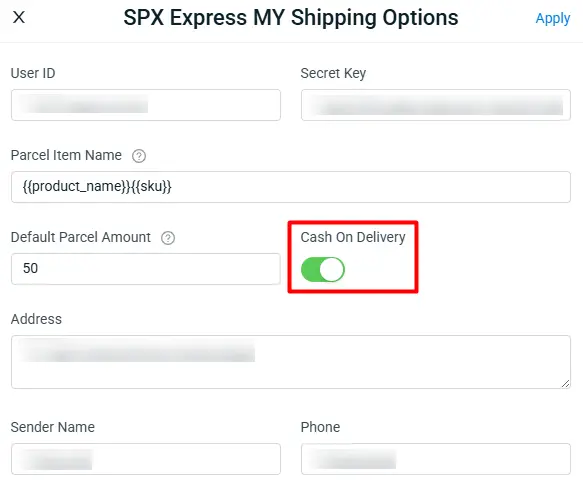
1. [Order Processing] SPX Express MY Now Supports Cash on Delivery (COD)

SPX Express MY courier now supports Cash On Delivery (COD), giving you more flexibility in how you offer payment options to your customers.
Remark:
The maximum COD amount per SPX Express MY shipment is RM500.

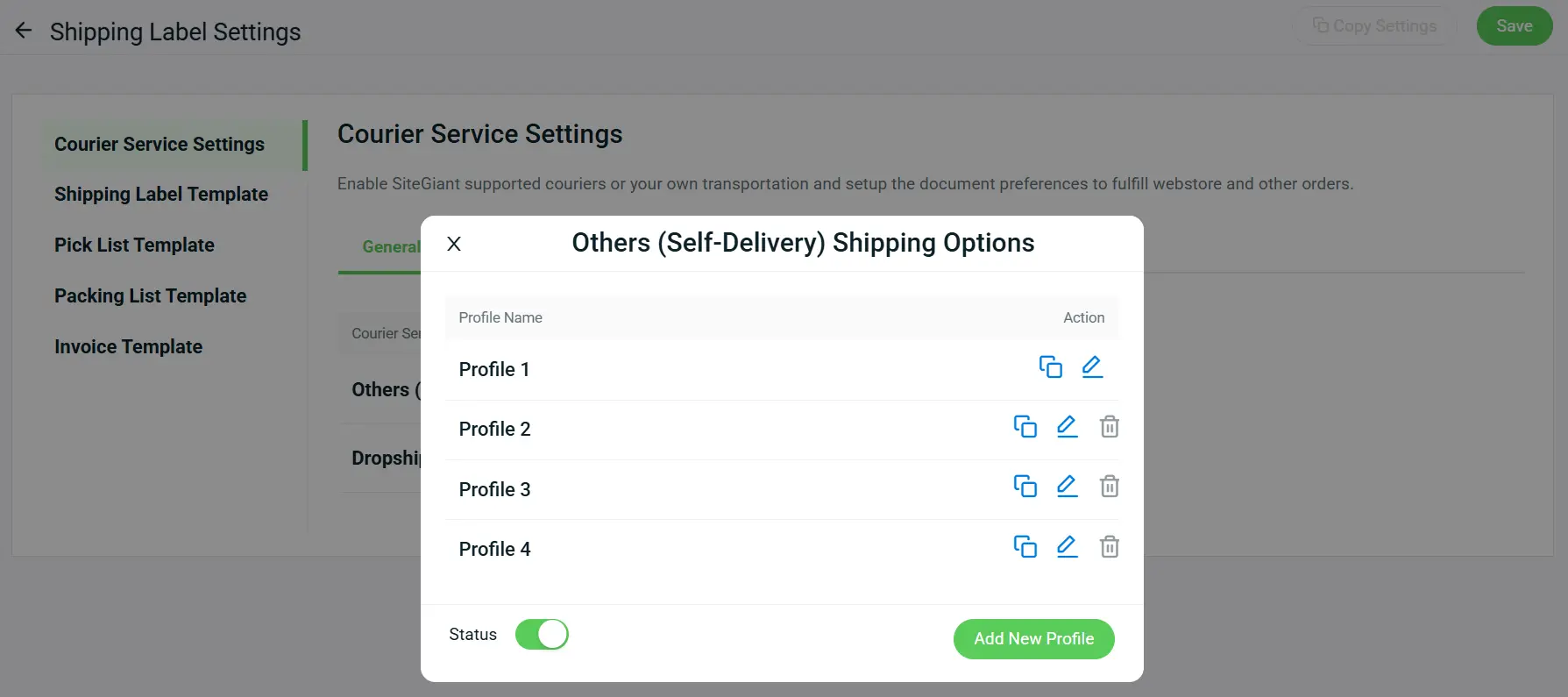
2. [Order Processing] Manage Self-Delivery More Flexibly with Multiple Courier Profiles

You can now create multiple courier profiles for Others (Self-Delivery) courier, allowing you to arrange shipments using different sender details based on the selected profile. This is especially useful for merchants managing multiple warehouses or dropshipping operations, where different sender details may be required for different shipment arrangements.
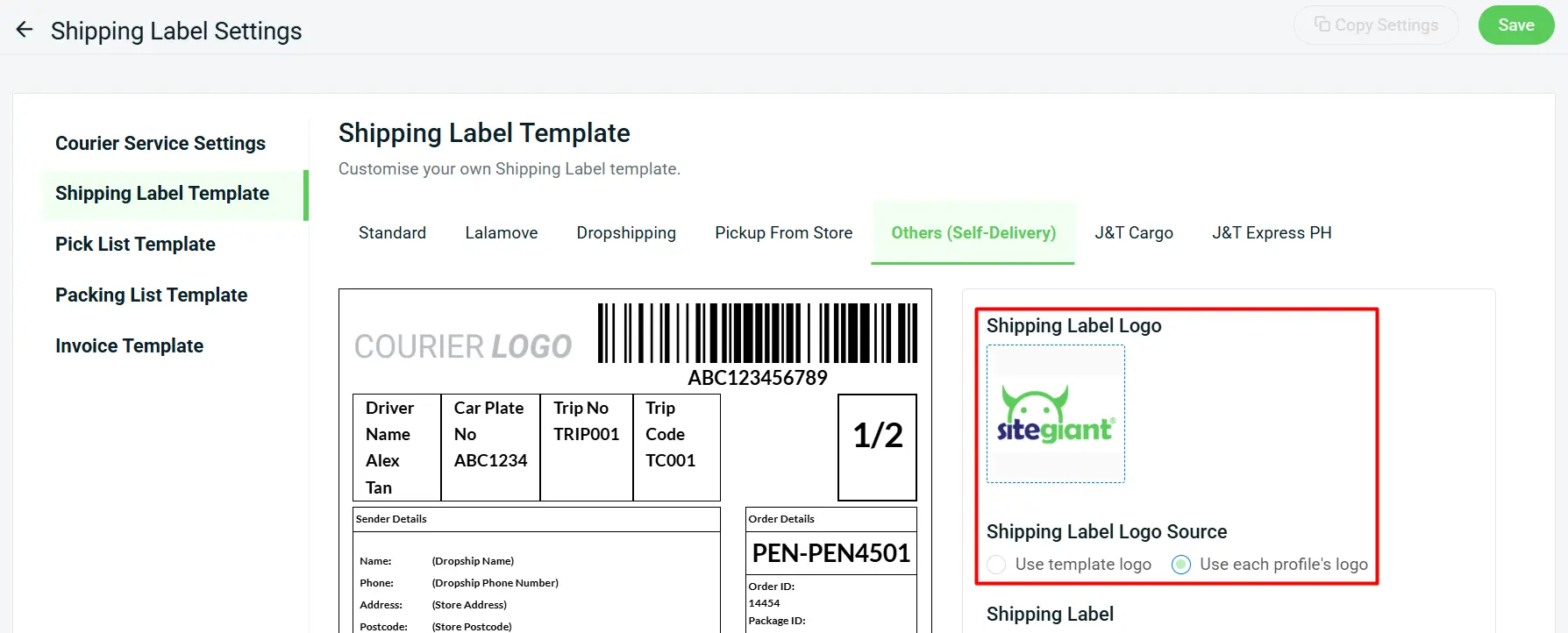
We have also added a Shipping Label Logo Source setting to the Others (Self-Delivery) Shipping Label Template. With this update, you can choose to use a single template logo across all profiles or assign a unique logo to each profile.

3. [Sales Channel] Enhanced Product and Order Management for Decathlon

We’ve introduced several enhancements to help you manage Decathlon products, orders, and fulfillment processes more efficiently.

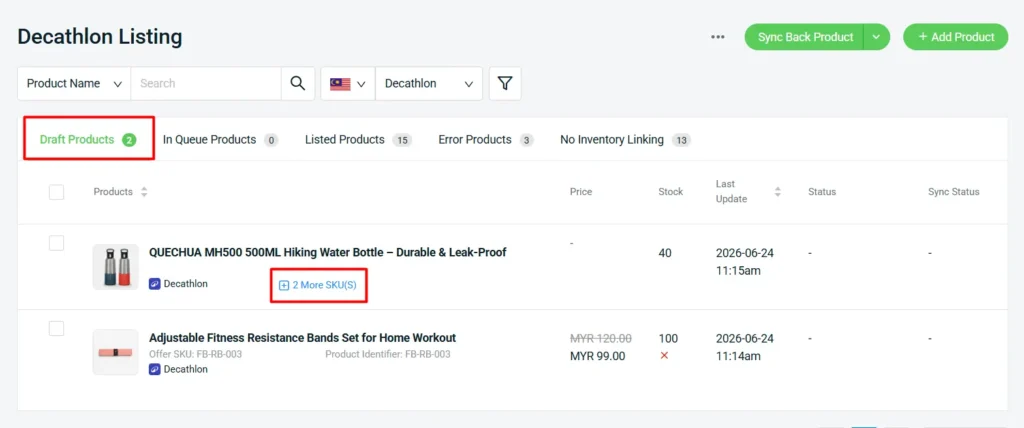
i. Enhanced Product Listing Support
The Draft Product interface has been enhanced to support parent products, child products, and single product listings, providing greater flexibility when managing different product structures.
ii. Order Processing Support
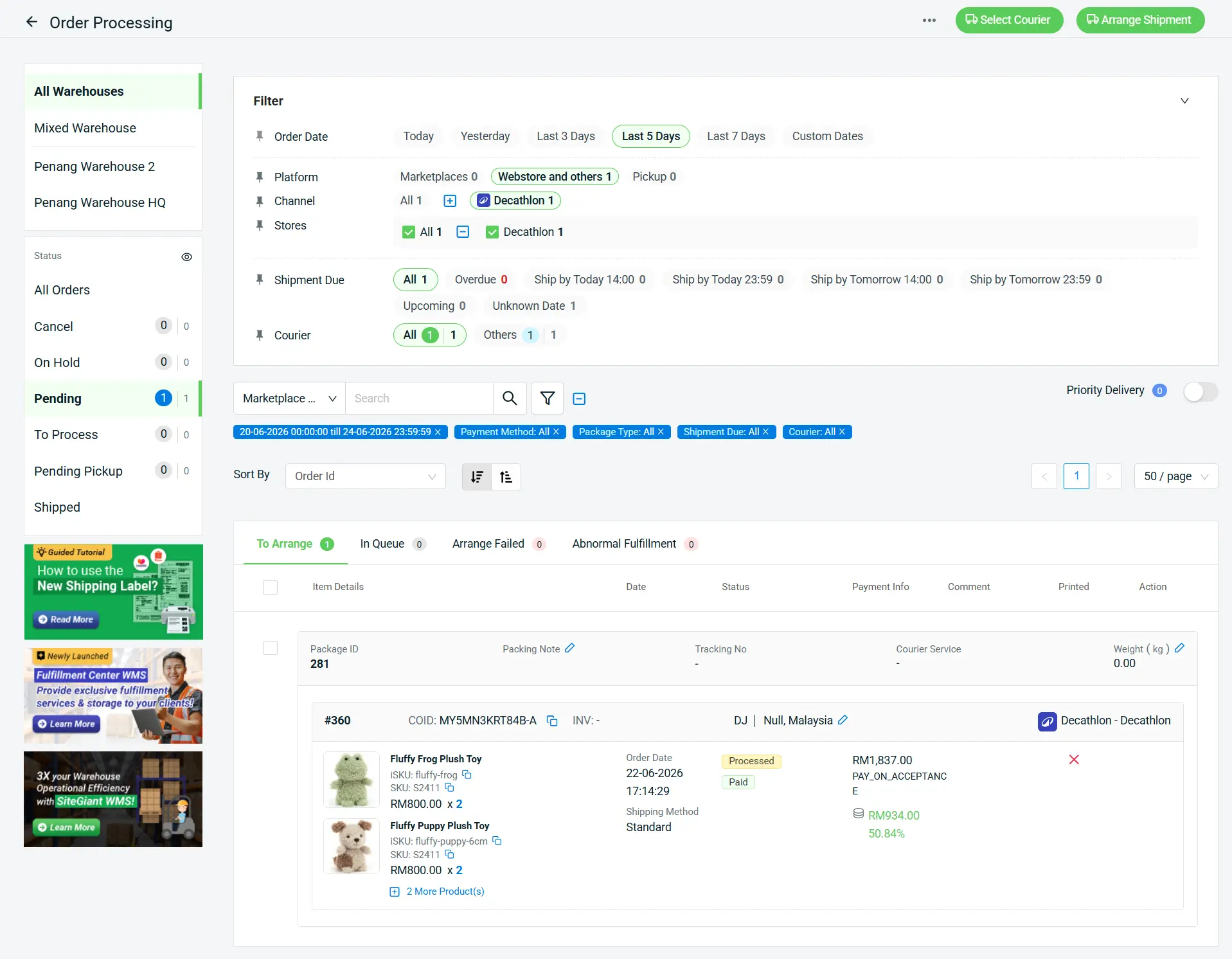
You can now process Decathlon orders directly within SiteGiant. Orders are categorized under Webstore and others, allowing fulfillment through SiteGiant-supported couriers or your own transportation methods. Tracking information can now be synchronized with Decathlon.
iii. Copy Listing Support
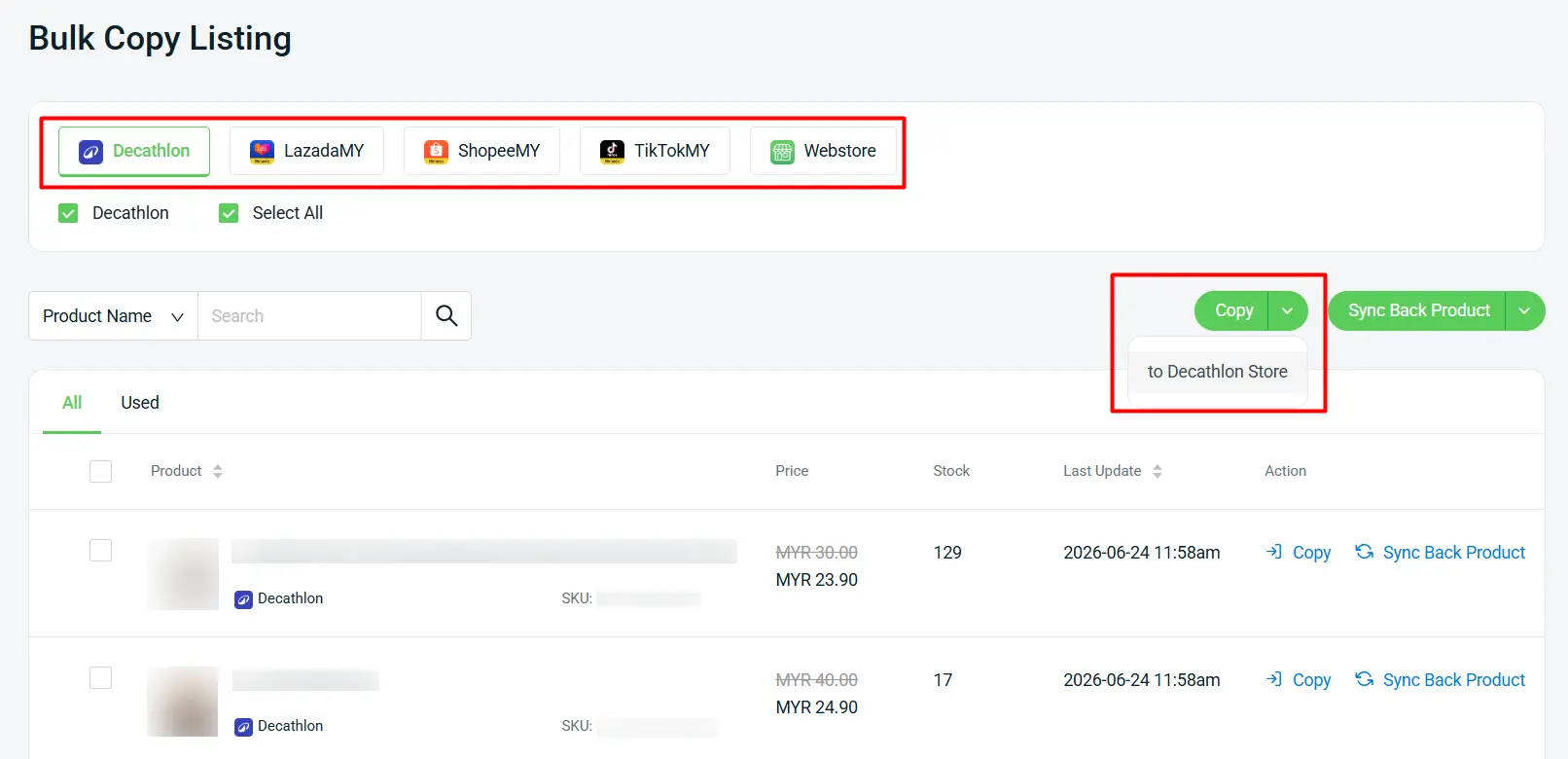
You can now copy product listings to Decathlon from Shopee, Lazada, TikTok, Webstore, and Decathlon, helping you reduce repetitive setup work and accelerate product onboarding.
iv. Marketplace Category Mapping App
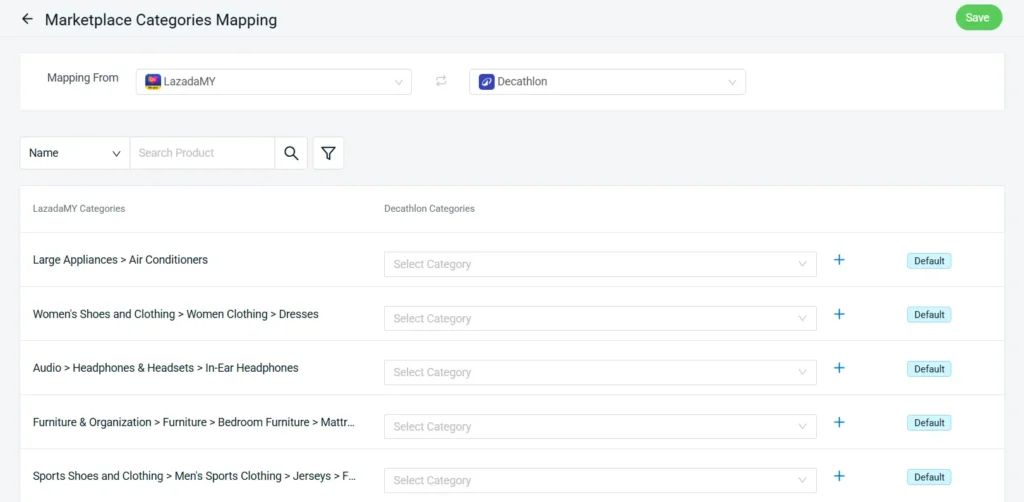
Marketplace Category Mapping is now supported, making it easier to align your products with Decathlon’s category structure and simplify listing management.

4. [Setting] Enhance Customer Login Flexibility with Email OTP Verification

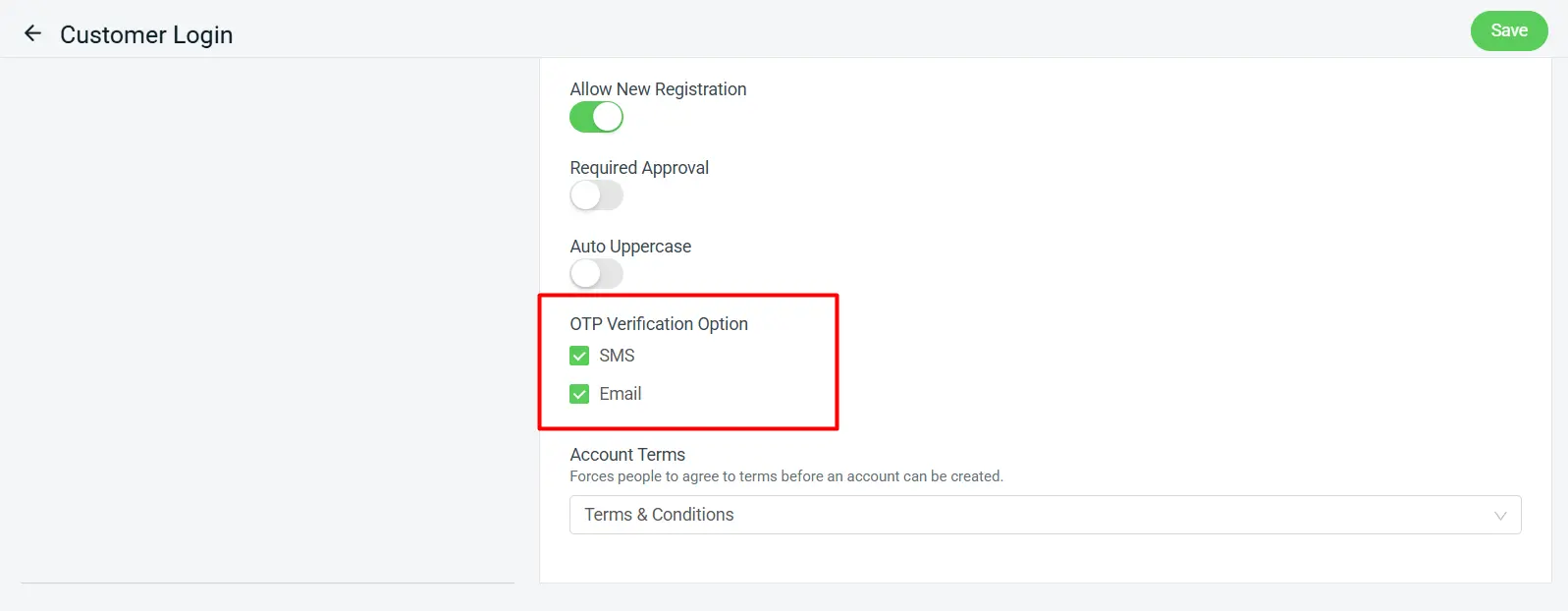
We’ve enhanced the Customer Login experience by introducing email OTP verification as an additional verification option alongside SMS OTP. Customers can now choose to verify their identity using email when creating an account or logging in, providing greater flexibility and convenience during the authentication process.
Remark:
When both email and SMS OTP verification are enabled, email will be used as the primary verification method during account creation.

5. [Setting] Protect Your SiteGiant Account with OTP Verification

To further enhance account security, One-Time Password (OTP) verification is now available for SiteGiant login. Once enabled, an OTP will be sent to your registered email address each time you sign in, adding an extra layer of identity verification to help protect your account from unauthorized access.
OTP verification is supported across the following SiteGiant platforms. Please update the applications to the latest version from Google Play Store or Apple App Store.

  • SiteGiant ERP
  • SiteGiant POS
  • SiteGiant Multichat (Web & App)
  • SiteGiant ONE App
  • SiteGiant Smart Salesman App
  • SQL Sync App
Manage OTP Verification
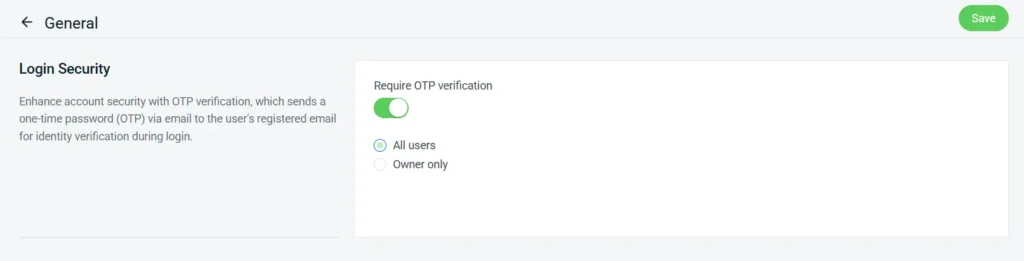
Store Owners can enable or disable OTP verification under General Setting.
Remark:
i. Only the Store Owner has permission to manage this setting.
ii. If you do not receive the OTP email in your inbox, please check your Spam or Junk folder.
 
We strongly recommend keeping OTP verification enabled to ensure your account remains secure.

6. [Webcam ParcelGuard] Stronger Packing Proof with Product Info and ScanNPrint Support

We’ve enhanced Webcam ParcelGuard to deliver better packing accuracy, visibility, and control throughout order processing in SiteGiant.
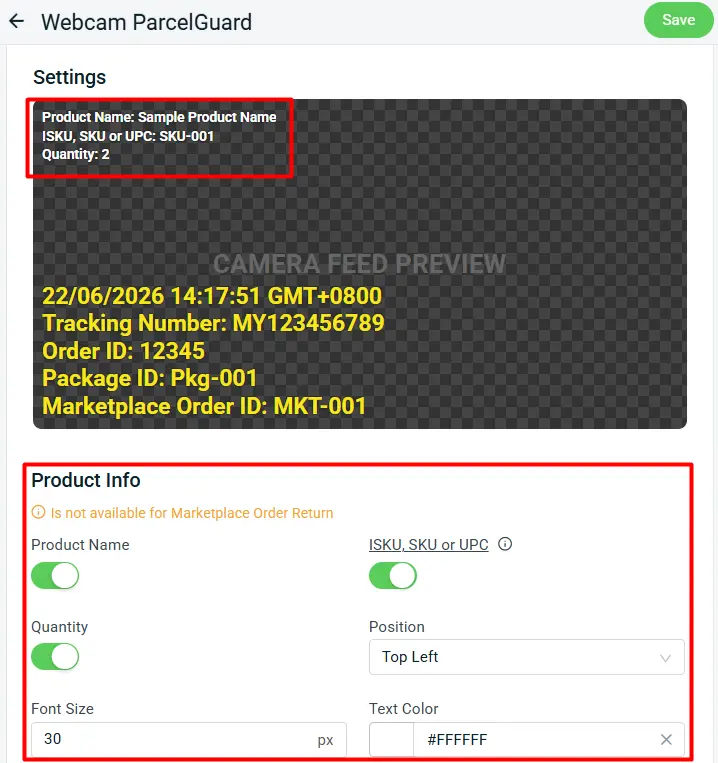
 i. Added Product Info Settings

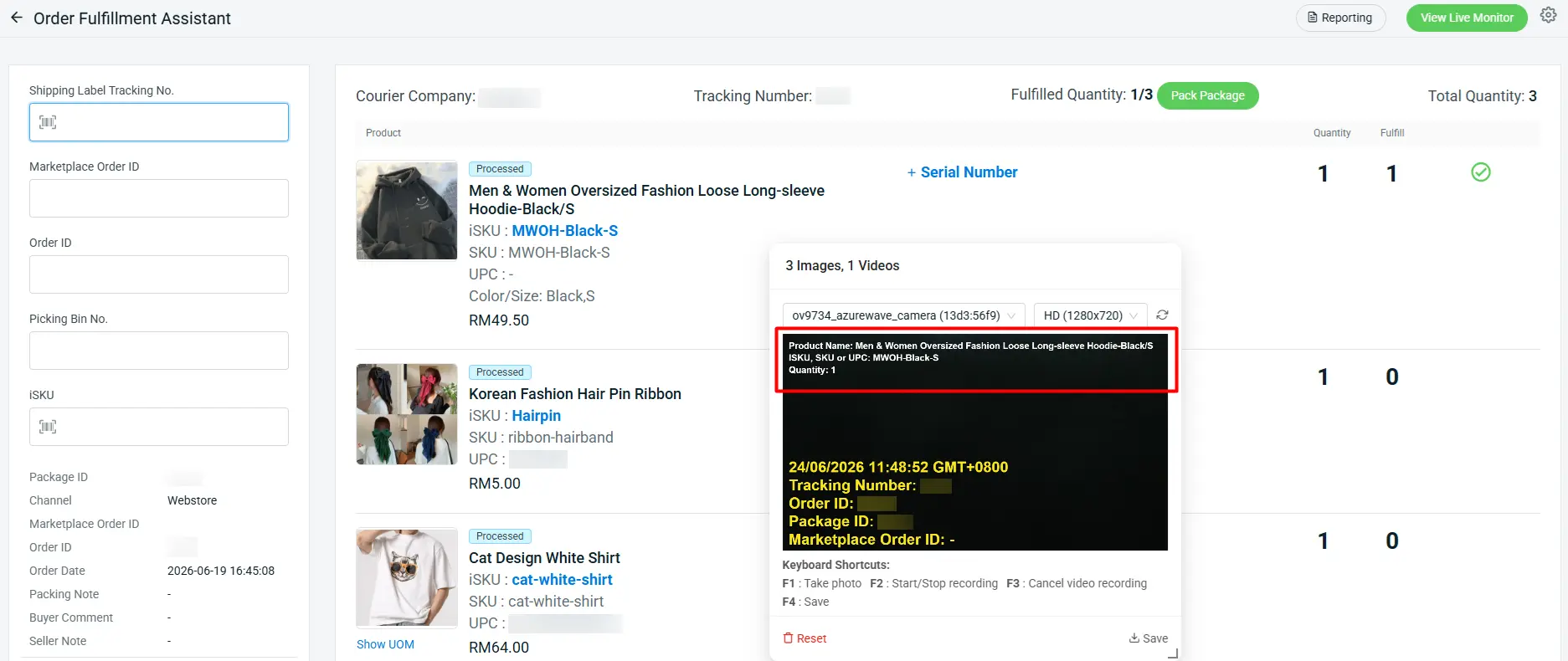
You can now enable Product Info settings to automatically display product details on your video recording upon scanning each item. It helps make every proof-of-packing video more informative, transparent, and dispute-ready.

Remark: Only available for Order Fulfillment Assistant and ScanNPrint when using Scan Items.
Product Info Preview:
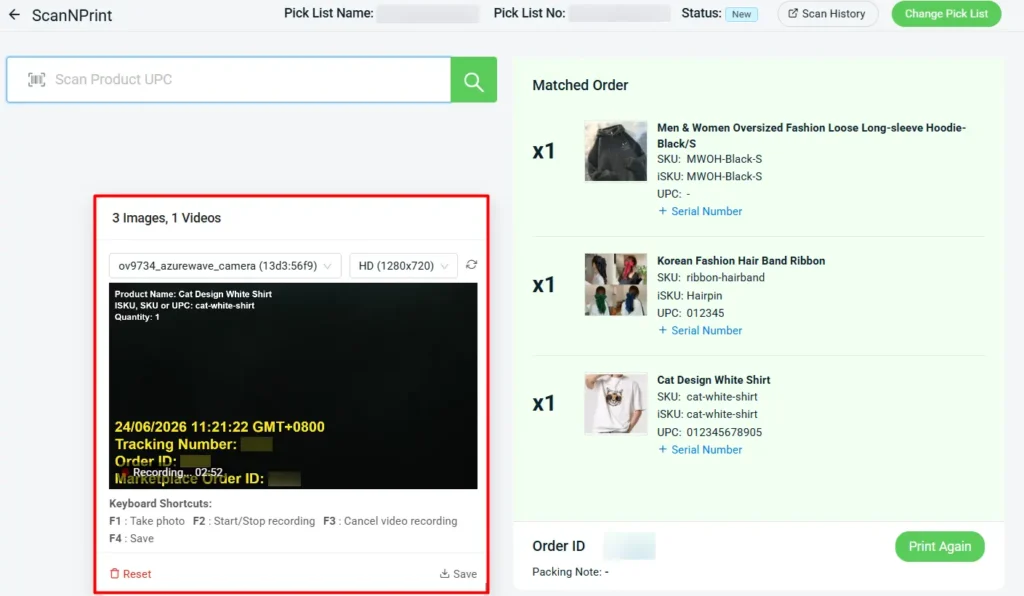
ii. Now Supported in ScanNPrint
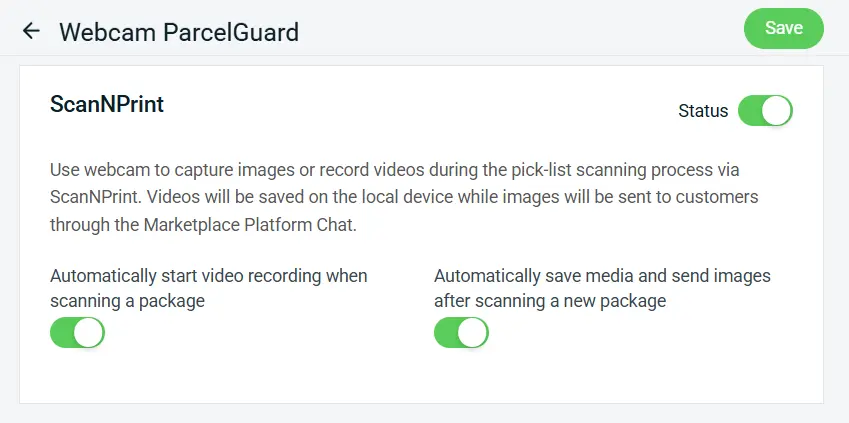
ScanNPrint now supports Webcam ParcelGuard, adding an extra layer of tracking visibility and operational transparency during packing and dispatch.
ScanNPrint Preview:

7. [SiteGiant ONE] Capture Tracking Numbers More Easily with OCR Recognition

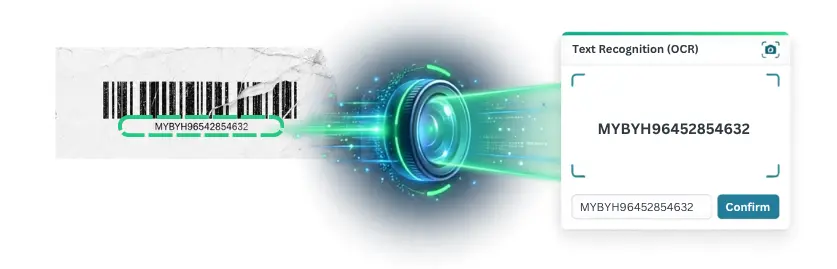
AWB barcodes can sometimes be difficult to scan due to poor print quality, damaged labels, or blurry images. These issues can slow down the packing and fulfillment process, especially during peak order periods.

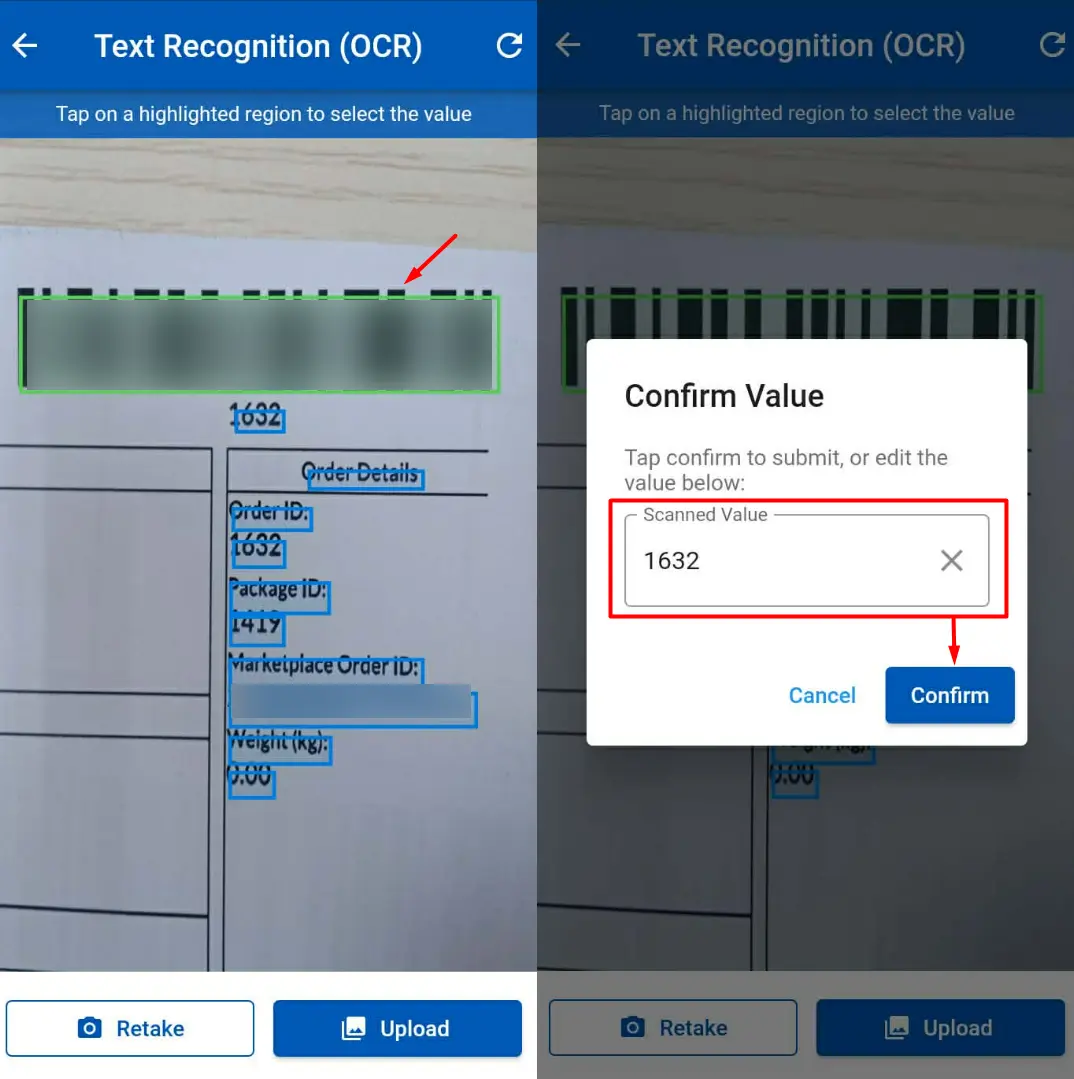
To improve scanning efficiency, SiteGiant ONE App now supports OCR (Optical Character Recognition) in the Order Fulfillment Assistant. When a barcode cannot be detected, the system can recognize tracking numbers directly from printed text, helping your team process orders faster with fewer interruptions.
Remark:
This enhancement is available in the Order Fulfillment Assistant using Scan with Camera. For optimal OCR accuracy, we recommend focusing on the tracking number area instead of capturing the entire AWB.

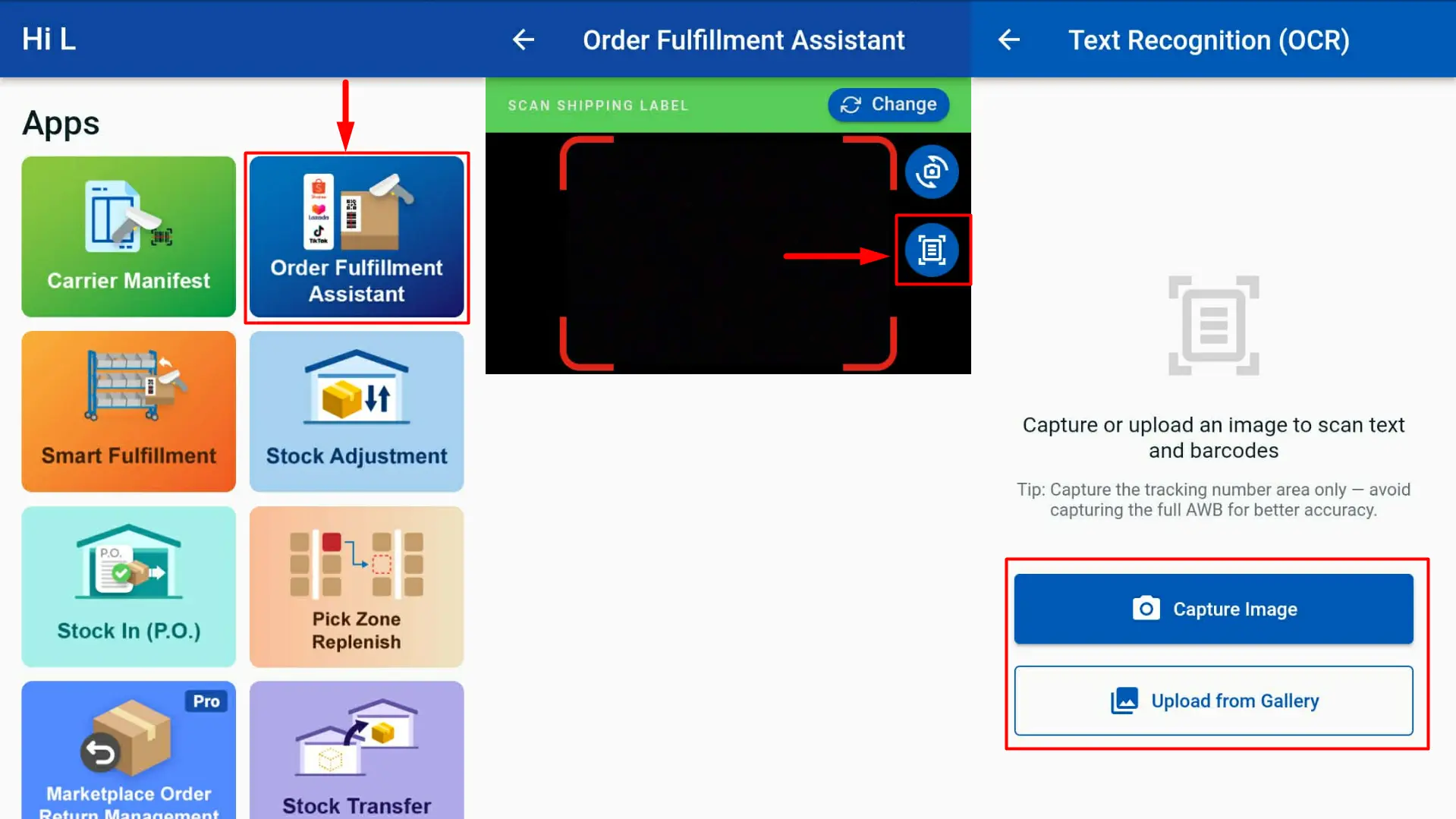
How It Works:
1. Log in to the SiteGiant ONE App and navigate to Order Fulfillment Assistant.
2. Tap the OCR Scan icon.
3. Choose Capture Image or Upload from Gallery. The system will analyze the image and detect readable text or barcodes.
4. Select the correct barcode or text from the highlighted results.
5. Review and edit the scanned value if needed, then click Confirm.

8. [SiteGiant POS] Enhanced Card Payment Handling and Receipt Customisation

*Note: Please be reminded to update to the latest version (v1.6.92)
i. Card Payment Details
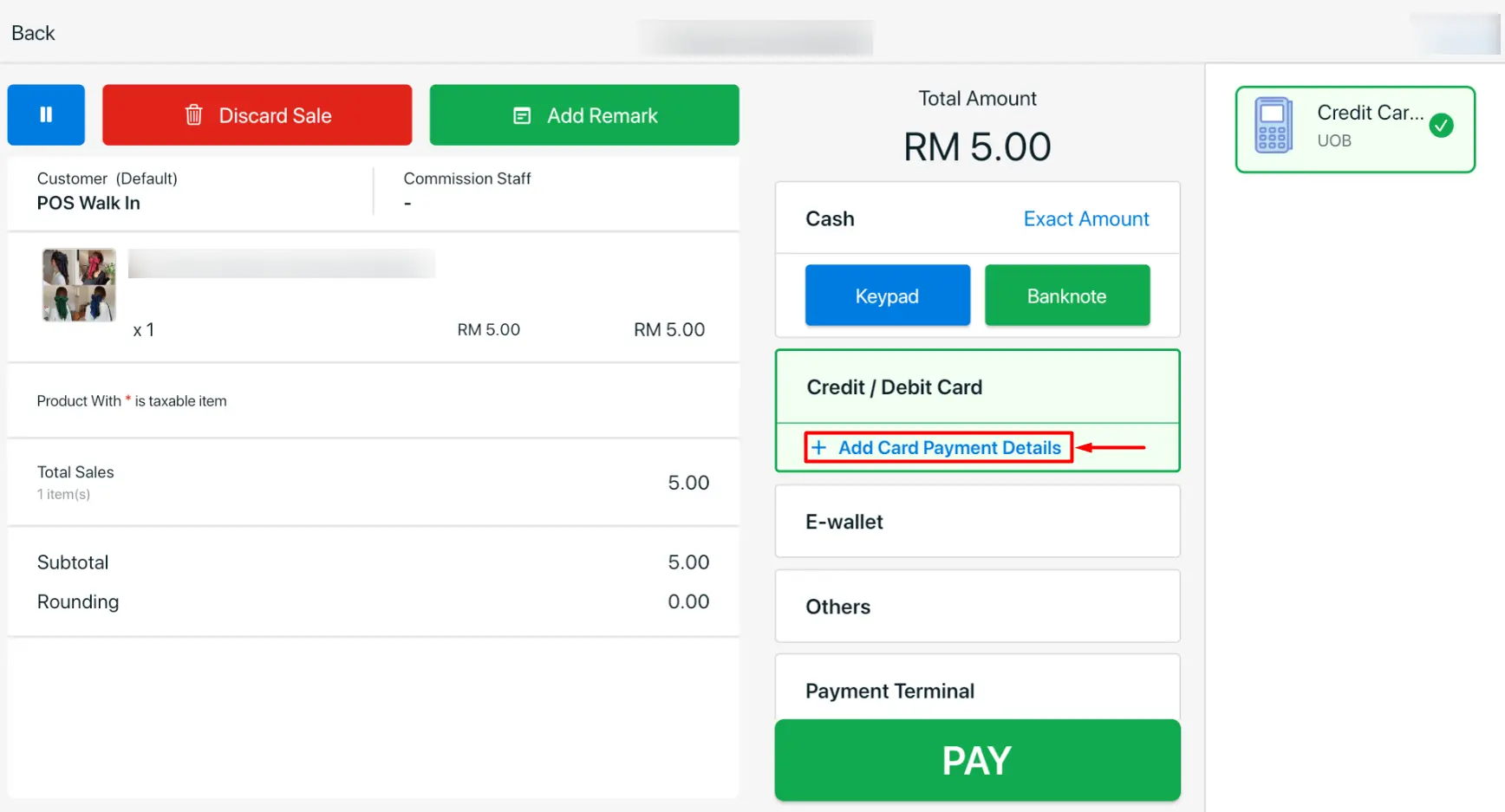
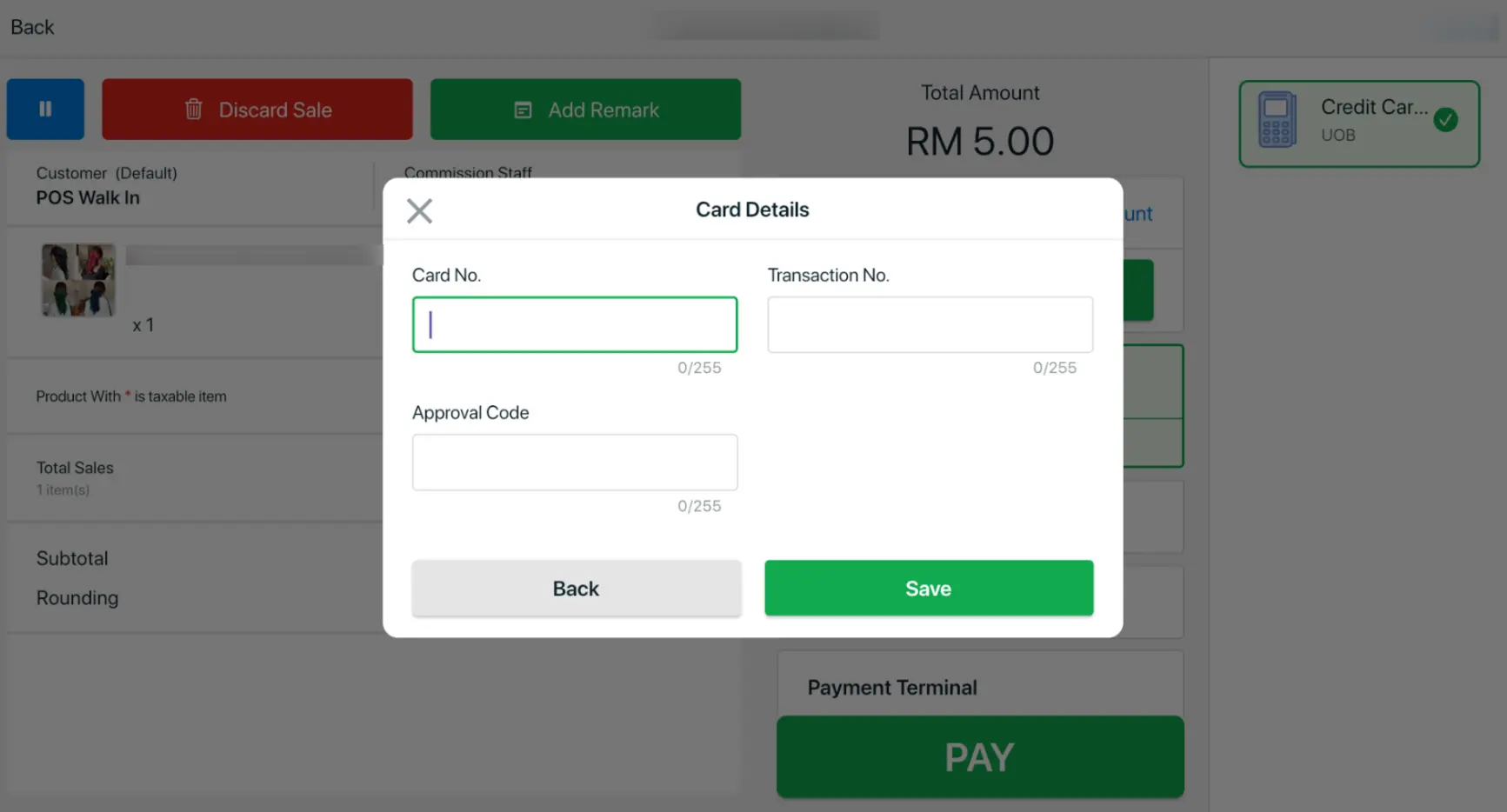
A new Add Card Payment Details section has been added to the Checkout page when selecting the manual Debit/Credit Card payment method, allowing you to enter card payment information for reference purposes.
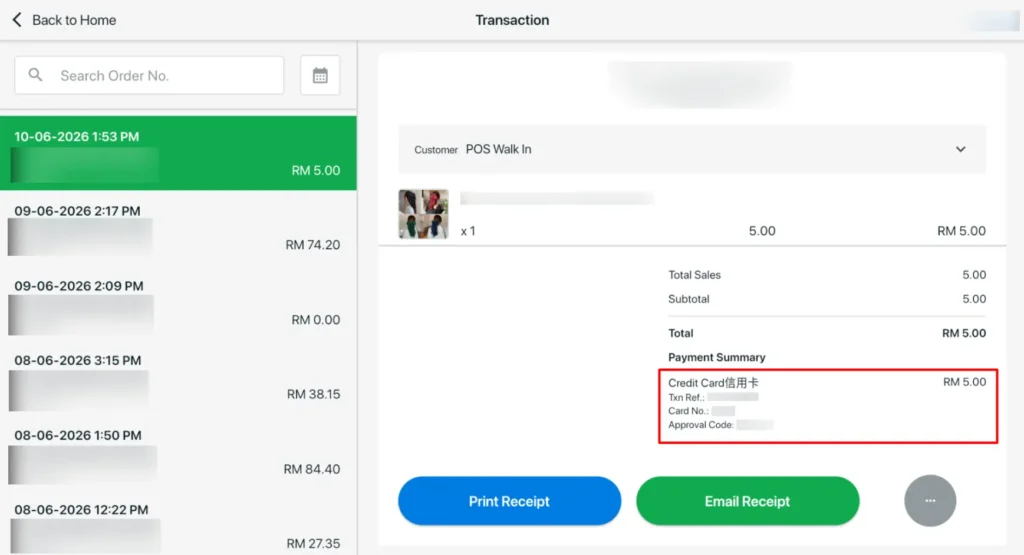
After the order is placed, the card payment details can be viewed on the Transaction page for easy reference.

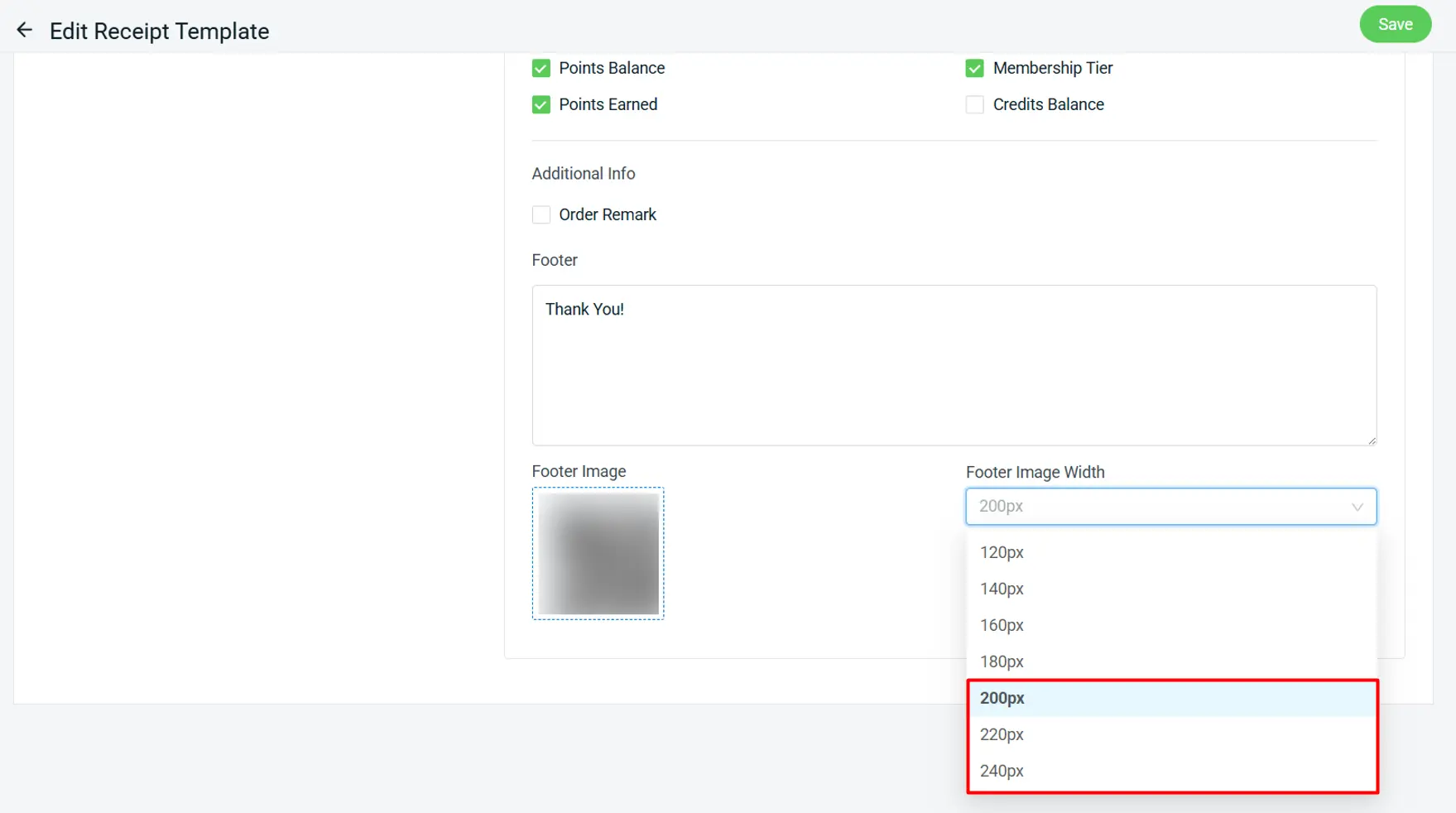
ii. Receipt Template
You can now adjust the footer image size in your receipt template with new width options of 200px, 220px, and 240px, giving you more control over receipt layout and branding.

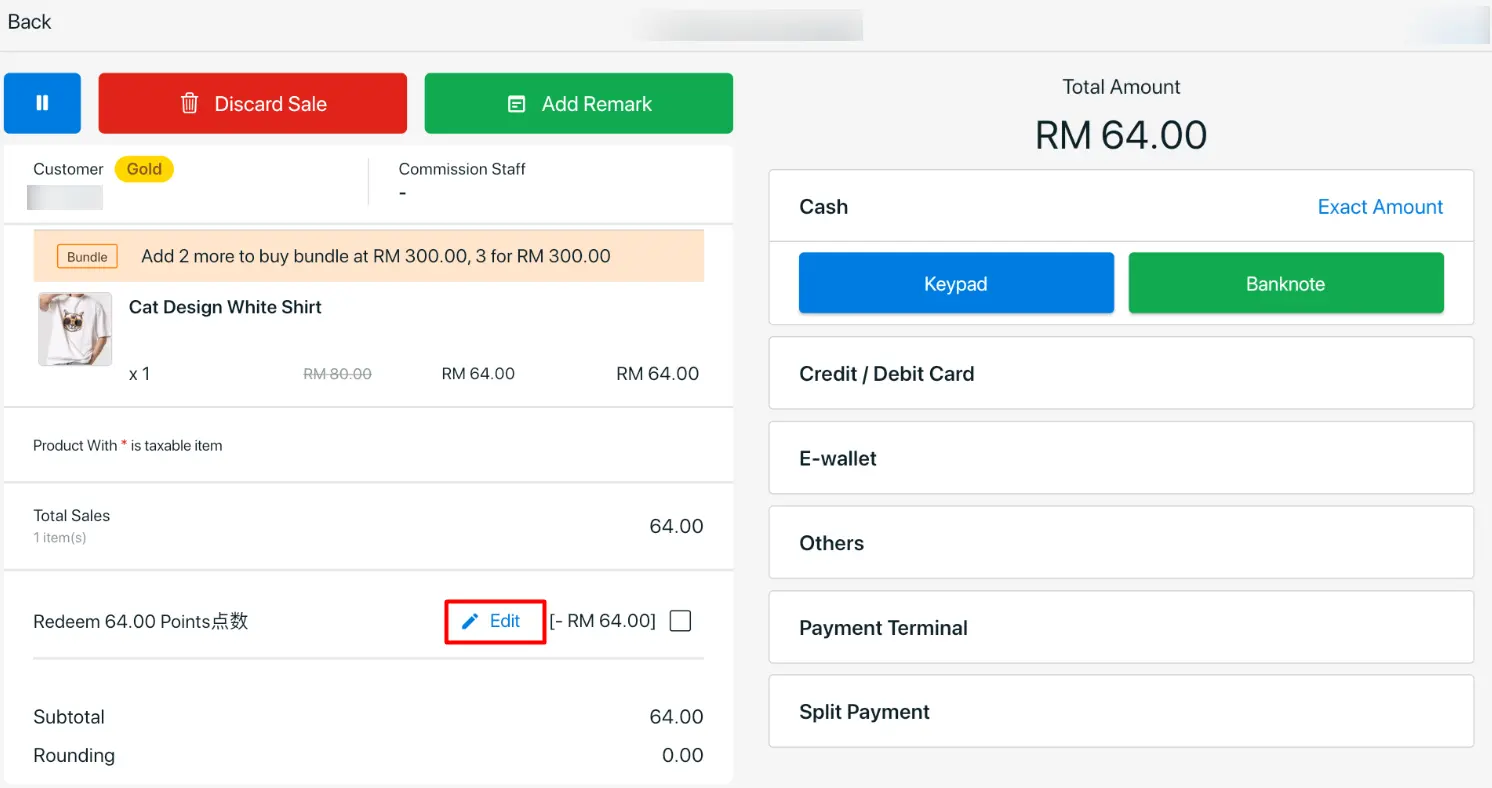
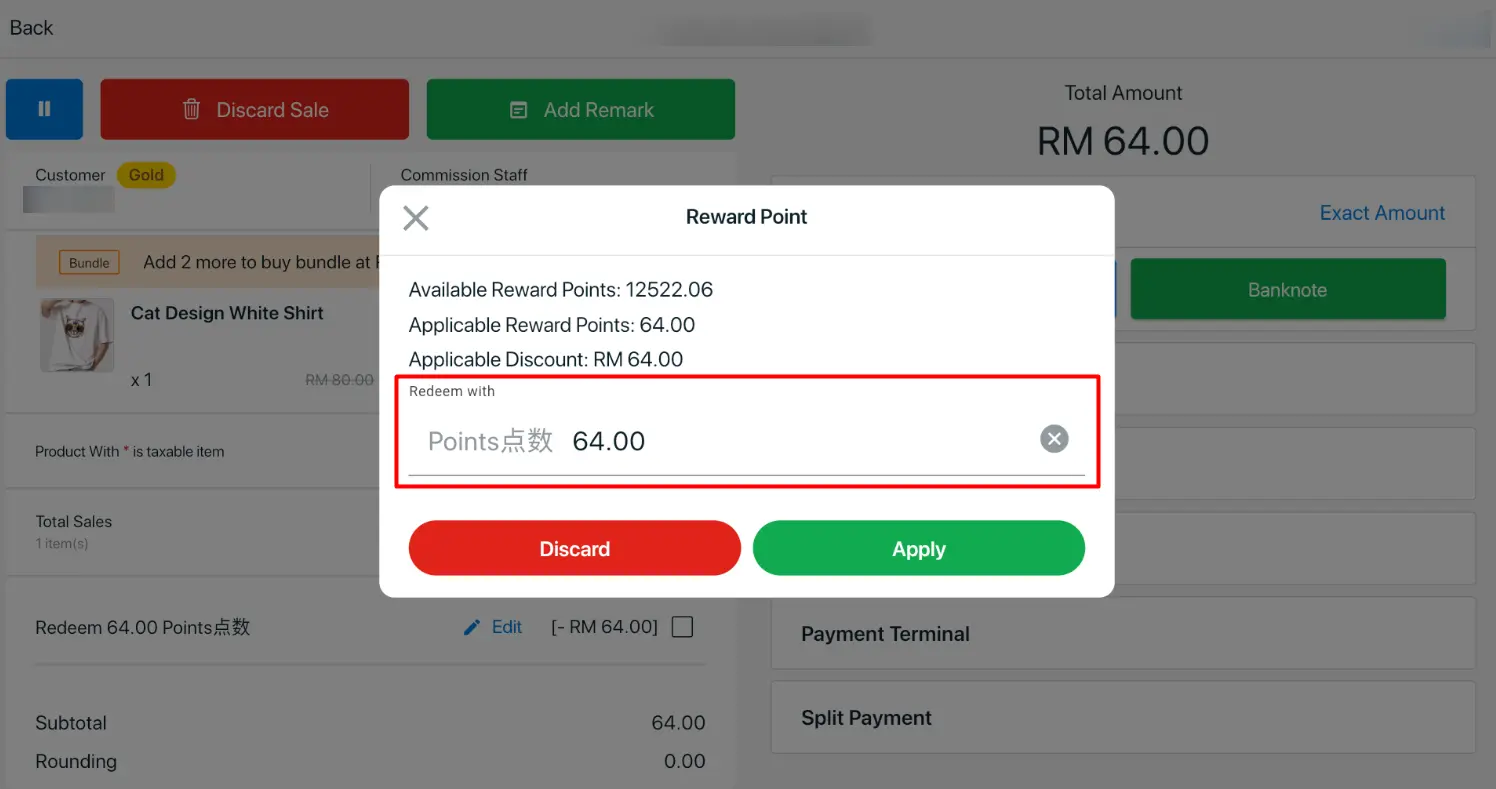
9. [SiteGiant POS] Flexible Reward Points Adjustment for Each Order

We’ve enhanced SiteGiant POS to support Reward Points adjustment, allowing cashiers to modify the number of reward points applied to each order. With this update, cashiers can manage reward points more flexibly during checkout and ensure the points applied are accurately adjusted for each transaction.
*Note: Please be reminded to update to the latest version (v1.6.96)

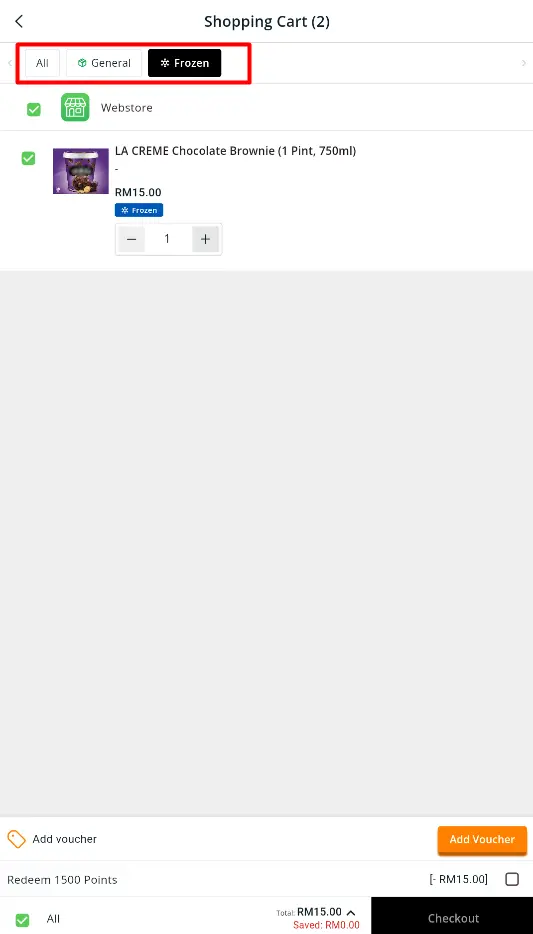
10. [Shopping App] Smart Split Checkout for More Accurate Shipping

Managing orders with different shipping requirements is now simpler than ever. Whether customers are purchasing bulky items, frozen products, or standard deliveries in a single cart, Shopping App can now split the checkout based on shipping profiles for a more seamless purchasing experience.
*Note: Please be reminded to update to the latest version (v1.1.7)
Check out these new features in SiteGiant today, and stay tuned for more updates.